
Office copier always breakdown Here's what to do.
Frustrated with an office printer that constant errors out? Read our guide on Office copier always breakdown? Here’s what to do. to fix jams, clean sensors, and stop downtime at Copier2U.
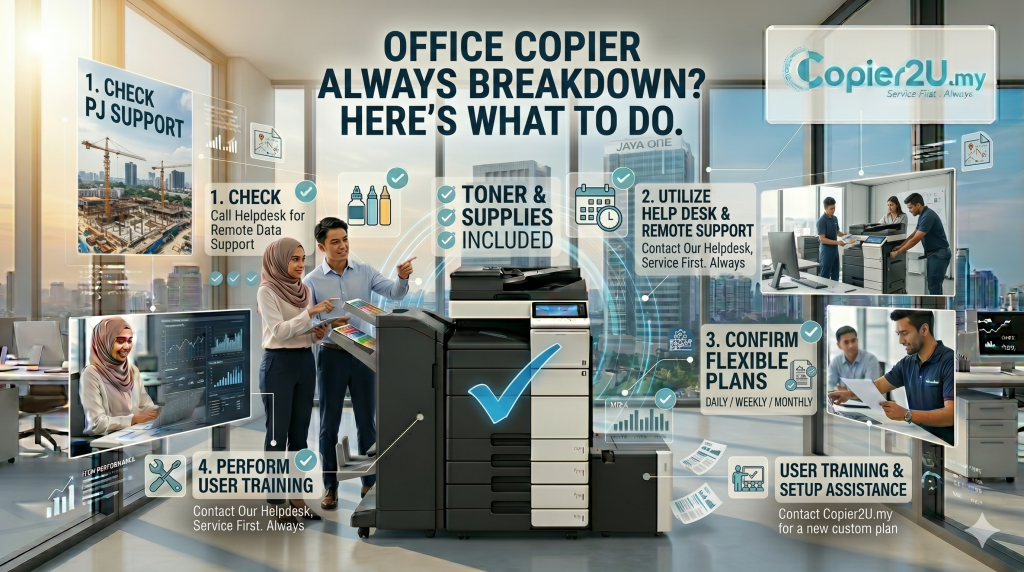
Walking up to your central workspace print station only to find a blinking red light, a cryptic system error code, or a crumpled piece of paper stuck deep inside the fuser assembly can instantly stall your team’s operational momentum. For fast-growing corporate offices, legal practices, and logistics hubs across Kuala Lumpur and Selangor, documentation holds daily workflows together. When your team faces continuous mechanical failures, it impacts employee productivity and delays client deliverables. If your organization is asking, Office copier always breakdown? Here’s what to do.—implementing a structured approach to hardware maintenance will help you identify root causes and resolve issues permanently.
Many internal administrative managers make the initial mistake of treating recurring printer glitches as isolated random issues, repeatedly calling out independent repair services that charge high hourly labor fees. To help your business optimize infrastructure uptime, this B2B operational manual addresses the fundamental question: Office copier always breakdown? Here’s what to do. We review everyday maintenance procedures, explain how tropical humidity impacts paper paths, and look at how switching to an inclusive lease plan resolves maintenance headaches.
Step 1: Manage Local Climate Dynamics & Paper Path Alignment
When an administrative team reaches out to our support lines asking, Office copier always breakdown? Here’s what to do. our technical experts look first at environmental paper storage. The high ambient relative humidity across the Klang Valley serves as a silent trigger for frequent paper jams.
The Moisture Trap: When standard 70gsm or 80gsm copy paper reams are stored in open cabinets or left loaded inside paper cassettes overnight without air conditioning, the paper fibers absorb moisture like a sponge. This causes individual sheets to stick together with high static charges. When the pickup rollers engage, the machine pulls multiple sheets simultaneously, causing an immediate feed zone jam. Always store your bulk paper boxes in cool, dry cabinets, and fan the edges of paper stacks before loading trays.
Cassette Slider Alignment: If the internal plastic alignment sliders inside your paper drawer are set too loosely or snapped too tightly against the paper stack, sheets will enter the print engine at a slight angle. This skew triggers internal tracking sensors to stop the machine instantly. Ensure guides click firmly against your A4 or A3 paper stacks without bending the paper edges.
Step 2: Clean the Optical Path and Empty Consumable Reserves
If your staff notes recurring black vertical lines, fuzzy text characters, or background gray smudging across every scanned contract, your system needs basic physical care. If you are asking, Office copier always breakdown? Here’s what to do. follow this weekly maintenance process:
Clean the Scanner Slit Glass: Lift the automatic document feeder (ADF) lid. Locate the narrow strip of glass sitting to the far left of the main large flatbed glass pane. When employees use liquid correction fluid or tape on physical files and scan them immediately, chemical residue transfers directly onto this narrow glass strip. As sheets move across it, this dirt registers as a continuous dark vertical line on your digital PDFs. Wipe this glass strip with a lint-free microfiber cloth lightly dampened with standard glass cleaner.
Monitor Waste Toner Reservoirs: Modern business copiers channel excess toner powder left over during the print cycle into a dedicated waste toner bottle. Once this container reaches maximum capacity, a system sensor stops the print queue. Ignoring this alert can cause loose toner powder to spill back into the internal chassis, contaminating your laser lenses and rollers.
Internal Troubleshooting vs. Professional SLA Intervention
To give your workspace team a clear reference, this table matches common equipment failure symptoms with practical step-by-step solutions:
| Equipment Failure Symptom | Most Probable Root Cause | Immediate On-Site Troubleshooting Action |
| Flashing Feed Zone Errors | Damp paper stock or loose guide sliders | Fan your paper reams; lock plastic guides snugly. |
| Persistent Vertical Black Streaks | Dirty scanning slit glass strip or scratched drum | Clean the narrow glass pane; check drum modules. |
| Faint, Light, or Patchy Pages | Depleted toner supplies or low print density | Check toner levels; adjust density in user menus. |
| System Sluggishness & Buffer Lag | Large print files or outdated system firmware | Split complex print runs into smaller batches. |
| Unresponsive / Will Not Power On | Faulty wall socket connection or blown fuse | Test the wall outlet; bypass cheap extension cords. |
If your administration team follows these steps and still finds themselves asking, Office copier always breakdown? Here’s what to do. the issue likely points to internal part wear. Components like rubber feed rollers, transfer belts, and high-voltage corona wires wear out naturally over time. If your company owns an older machine, these parts require professional replacement.
FAQ
1. Office copier always breakdown? Here's what to do. What is the very first step we should take?
When asking Office copier always breakdown? Here’s what to do. your first step should be to run a diagnostic test. Check the screen panel for the exact error code, verify if paper paths are clear of tiny torn fragments, and confirm that your paper stock is stored in a dry, cool space.
2. Why does our office copier jam repeatedly in the exact same spot every morning?
This pattern typically points to a worn rubber pickup roller that has lost its traction, or a dirty internal photo-sensor covered in paper dust. If cleaning the rubber rollers with a lint-free cloth does not resolve the issue, the part will need to be replaced by a technician.
3. Is it safe for our staff to pull jammed paper out forcefully from the front?
No, never pull stuck paper forcefully against the natural direction of the print path. Doing so can break fragile internal plastic gears, damage the fuser belt, or scratch the drum. Always open the designated side access doors and roll the manual knobs to guide the sheet out safely.
4. Can using low-cost generic toner cartridges cause our office printer to fail?
Yes. Cheap, third-party compatible toner cartridges often suffer from weak structural seals. This can cause fine chemical powder to leak directly into the machine’s internal gear assemblies, resulting in gear binding, dirty streaks, and background gray smearing on your prints.
5. How often does an office copier require deep professional maintenance check-ups?
For typical corporate offices with average printing use, a professional preventive maintenance inspection should be conducted every 3 to 4 months. High-volume setups—like schools, logistics hubs, or law practices—should arrange for monthly maintenance to clear out accumulated paper dust.
6. Can a full waste toner box cause permanent hardware damage if ignored?
Yes. Once the waste toner container fills up completely, excess powder can spill back into the print chassis. This loose powder can coat optical sensors, cause false paper jam messages, and mix with gear lubricants to create a gritty paste that wears down internal parts.
7. What should we do if our copier displays a paper jam error, but no paper is inside?
This is known as a “ghost jam.” It usually happens when a tiny scrap of torn paper from a previous jam remains hidden inside, blocking a photo-sensor path. Alternatively, heavy paper dust may have coated the sensor lens, blinding it into recording an obstruction.
8. How does an inclusive copier rental contract eliminate our workplace breakdown worries?
When you choose an all-inclusive lease plan through Copier2U, you never have to worry about maintenance issues again. Our plans fully cover all routine maintenance, part replacements, and emergency on-site technician labor under your low monthly fee.
Copier2U's Services
Find the right product based on your requirement.
Refurbished Copiers
Our refurbished copier offer a smart printing solution for businesses seeking reliable performance without compromising on affordability.
Digital Black / White & Colour Copiers
As specialists in refurbishing all kinds of B/W and color copiers from top brands, we offer affordable rental copier plans to meet your business needs.
Spare Part and Consumables Item
Whether you’re in need of replacement parts or consumables to keep your copier running smoothly, we’ve got you covered.
Maintenance Contract
With our maintenance contracts, you can enjoy peace of mind knowing that your copiers are well taken care of.
Copier Rental Service
We offer highly flexible photocopier rental plans tailored to match your specific business timeline and budget. Whether you need a Short-Term Rental, or a Long-Term Rental, we have you covered.
Find Us
What Our Clients Say
Trusted by businesses across Kuala Lumpur, Selangor & Putrajaya for reliable photocopier rental and fast support.

4.9 Google Rating • Verified reviews from real customers across Malaysia
Our dedicated technical dispatch team provides rapid 24-hours on-site maintenance to ensure your office print workflow runs smoothly. We proudly serve corporate offices, small businesses, and events across all major commercial hubs within Kuala Lumpur, Selangor, and Putrajaya.
Choosing the right office hardware configuration can significantly impact your monthly overhead. Before committing to a machine, it is highly recommended to read our comprehensive guide on Signs your office needs a better copier to discover which option best suits your actual monthly print volume. Additionally, keeping your operational budget safe is easy once you understand the simple maintenance habits outlined in our guide on How copier rental helps SMEs manage cash flow.
Request free quote now
Fill in form or call us +6019 263 0988.
Connect with us today and discover how our expertise can empower your projects.