
Signs your office needs a better copier: Is Your Printer Delaying Your Team?
Experiencing slow printing, constant data lag, or high out-of-pocket repair costs? Read our guide on the top Signs your office needs a better copier to optimize your workplace via Copier2U.
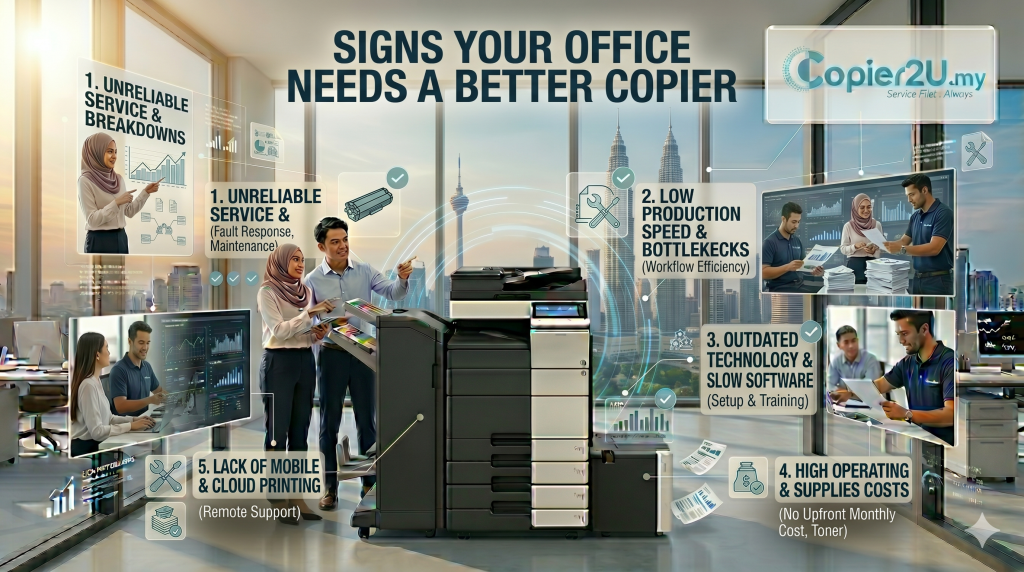
As a business grows, its internal administrative systems must scale smoothly alongside its expanding operations. During busy operational cycles—such as closing monthly financial files in Puchong, handling legal litigation briefs in downtown KL, or processing fast shipping orders in Shah Alam—the demands placed on your document management hardware increase significantly. If your staff spends valuable time waiting in queues at the print station, clearing frequent paper jams, or managing slow data transfers, your system has likely hit its operational limits. Spotting the early Signs your office needs a better copier is essential for maintaining efficient workplace productivity.
Many growing companies make the initial mistake of running lightweight desktop printers far beyond their intended monthly duty cycles, leading to accelerated part wear and frequent breakdowns. To help your operations manager or IT director optimize your document environment, this guide breaks down the core Signs your office needs a better copier. We explore common hardware warnings, look at how underpowered systems create network data lags, and explain why upgrading to a commercial-grade multifunction system streamlines your workflows.
1. Continuous Network Buffer Lag & Data Processing Bottlenecks
A major technical indicator among the Signs your office needs a better copier is experiencing slow file processing times. When multiple employees send complex, text-heavy print commands simultaneously over your local area network (LAN), light-duty desktop systems quickly become overwhelmed.
Because entry-level printers have limited internal processor speeds and low RAM capacities, the print spooler stalls under heavy multi-user workloads. This creates frustrating data lag, where the machine takes several minutes to process simple PDFs, slowing down your team’s daily workflows. If your office team is constantly waiting around the printer for documents to process, it is a clear sign your office needs to upgrade its hardware.
2. Frequent Mechanical Misfeeds Even with Fresh, Dry Paper Stocks
Another clear warning within the Signs your office needs a better copier checklist is experiencing continuous mechanical failures in the paper feed zones. If your administrative staff finds themselves clearing crumpled paper sheets from the fuser assembly daily, the internal mechanics have likely degraded.
Standard office printers carry specific maximum monthly page thresholds. Forcing a small office printer beyond its engineered capacity causes internal rubber rollers to smooth out and thin plastic drive gears to misalign. When these friction components lose their precision, paper sheets feed into the print engine at a slight angle, triggering constant tracking sensor errors even when utilizing fresh, dry paper stock.
Fleet Performance Evaluation Matrix
To give your office manager a clear evaluation framework, this matrix matches common equipment symptoms with the key Signs your office needs a better copier:
| Current Equipment Symptom | Underlying Operational Root Cause | Strategic Fleet Recommendation |
| Long print lines & data buffering lag | Insufficient internal RAM and slow processor | Switch to an enterprise model with higher processing power. |
| Frequent jams in the fuser zone | Worn rubber pickup rollers and gear misalignment | Upgrade to a heavy-duty floor-standing system. |
| Faint prints & gray background smears | Aging drum units and leaky generic toners | Select a managed lease plan featuring original toners. |
| Manual double-sided document scanning | Basic, slow automatic document feeder (ADF) | Switch to a single-pass duplex scanning layout. |
| High out-of-pocket third-party repair bills | Legacy hardware operating past its asset life | Move to an all-inclusive managed rental plan. |
Recognizing these Signs your office needs a better copier allows your procurement team to resolve administrative bottlenecks permanently. Upgrading your office setup through Copier2U gives your team immediate access to commercial floor-standing units selected strictly from the top 3 best photocopier in Malaysia: Ricoh, Canon, and Konica Minolta.
FAQ
1. Signs your office needs a better copier—what is the most critical warning sign?
The most critical indicator within the Signs your office needs a better copier list is experiencing continuous mechanical failures and data processing lags, which signal that your current printer has outgrown your team’s administrative volume needs.
2. Why does our printer take so long to process documents when multiple staff members are active?
This delay is caused by insufficient internal memory (RAM). When multiple users send complex print files simultaneously, an underpowered device stalls, showing clear Signs your office needs a better copier.
3. Can forcing a small desktop printer to run high volumes cause permanent damage?
Yes, absolutely. Forcing a lightweight device to run high volumes causes internal friction components to overheat, which accelerates part wear and leads to frequent mechanical failures.
4. How does upgrading to a single-pass document feeder enhance our office workflow?
An advanced single-pass duplex scanner captures both sides of a page simultaneously. This feature speeds up digital archiving and protects delicate paper sheets from tearing, making it a great upgrade option for busy offices.
5. Are original toner cartridge replacements covered for free under your upgrade plans?
Yes, completely. Every agreement finalized under our corporate upgrade plans includes our Smart Care Maintenance Plan, ensuring all replacement black and color toner refills are delivered straight to your door at zero extra cost.
6. How fast can a technician arrive if our upgraded copier displays an error code in Puchong?
We prioritize your operational uptime. If your leased system flags an error code, our response network guarantees that a certified technician will reach your Puchong premises within 24 hours to restore your workflow.
7. Can our team print documents wirelessly from smartphones via your upgraded copiers?
Yes, 100%. Every multi-functional system deployed across our rental plans features advanced wireless connectivity, allowing your staff to print seamlessly from MacBooks, Windows laptops, iPhones, and Android devices over the office Wi-Fi.
8. Are there hidden delivery or installation costs when upgrading our office printer configuration?
No, we practice 100% pricing transparency. All upfront logistics expenses—including secure transport, hardware positioning, network IP driver mapping, and full staff training—are covered completely free of charge under our contracts.
Copier2U's Services
Find the right product based on your requirement.
Refurbished Copiers
Our refurbished copier offer a smart printing solution for businesses seeking reliable performance without compromising on affordability.
Digital Black / White & Colour Copiers
As specialists in refurbishing all kinds of B/W and color copiers from top brands, we offer affordable rental copier plans to meet your business needs.
Spare Part and Consumables Item
Whether you’re in need of replacement parts or consumables to keep your copier running smoothly, we’ve got you covered.
Maintenance Contract
With our maintenance contracts, you can enjoy peace of mind knowing that your copiers are well taken care of.
Copier Rental Service
We offer highly flexible photocopier rental plans tailored to match your specific business timeline and budget. Whether you need a Short-Term Rental, or a Long-Term Rental, we have you covered.
Find us
What Our Clients Say
Trusted by businesses across Kuala Lumpur, Selangor & Putrajaya for reliable photocopier rental and fast support.

4.9 Google Rating • Verified reviews from real customers across Malaysia
Our dedicated technical dispatch team provides rapid 24-hours on-site maintenance to ensure your office print workflow runs smoothly. We proudly serve corporate offices, small businesses, and events across all major commercial hubs within Kuala Lumpur, Selangor, and Putrajaya.
Choosing the right office hardware configuration can significantly impact your monthly overhead. Before committing to a machine, it is highly recommended to read our comprehensive guide on The hidden costs of owning a copier to discover which option best suits your actual monthly print volume. Additionally, keeping your operational budget safe is easy once you understand the simple maintenance habits outlined in our guide on Is maintenance included in the rental package.
Request free quote now
Fill in form or call us +6019 263 0988.
Connect with us today and discover how our expertise can empower your projects.