How to Adjust Auto Tray Selection Setting on Konica Minolta Machine
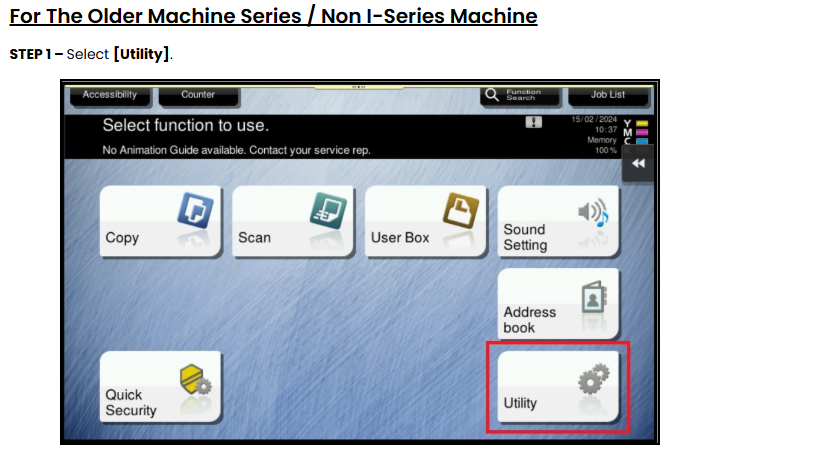
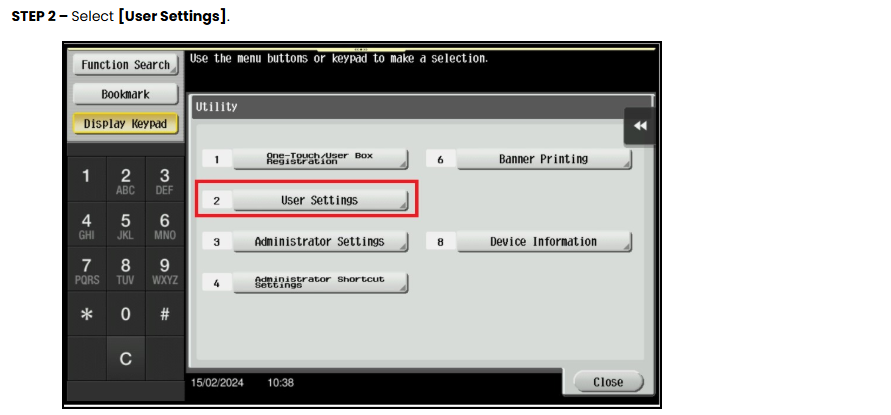
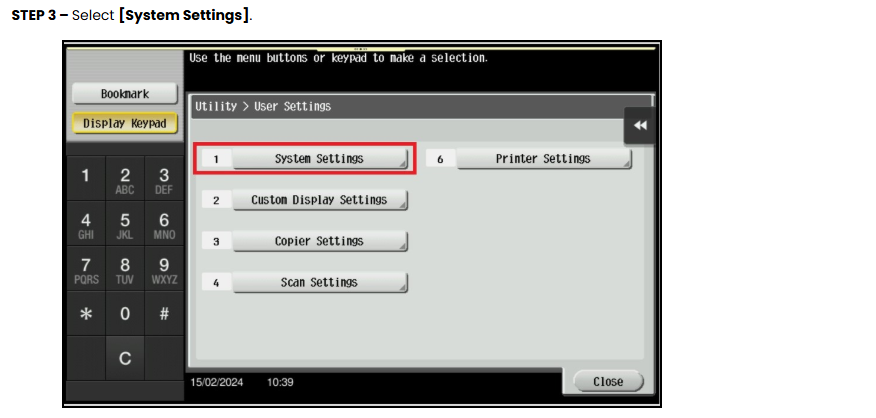
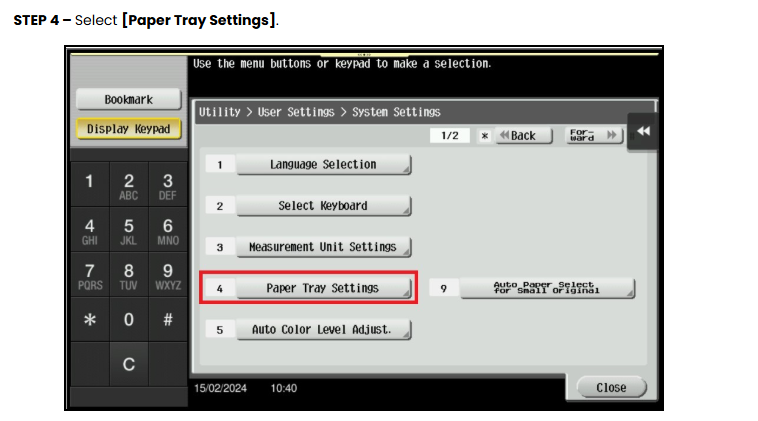
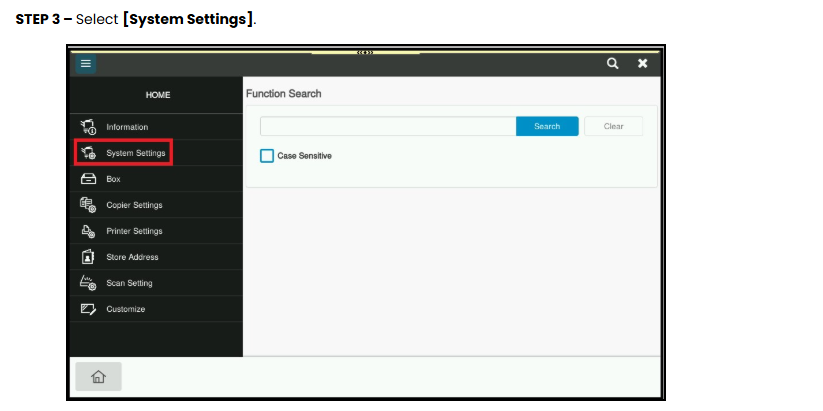
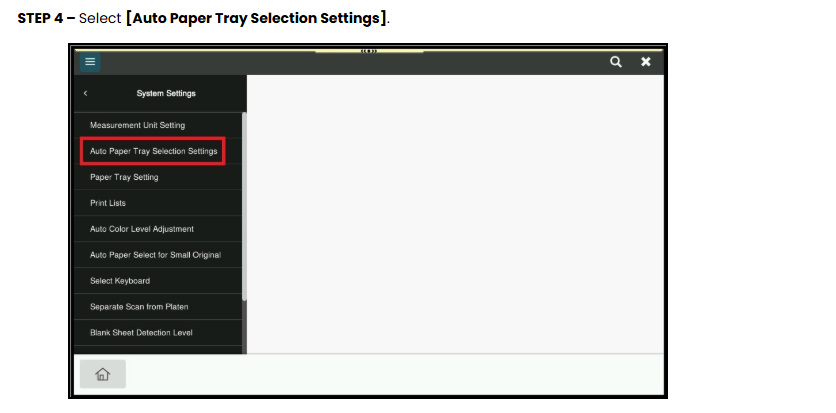
Guide on how to adjust the auto tray selection and the priority for the paper trays on the Konica Minolta Machine.
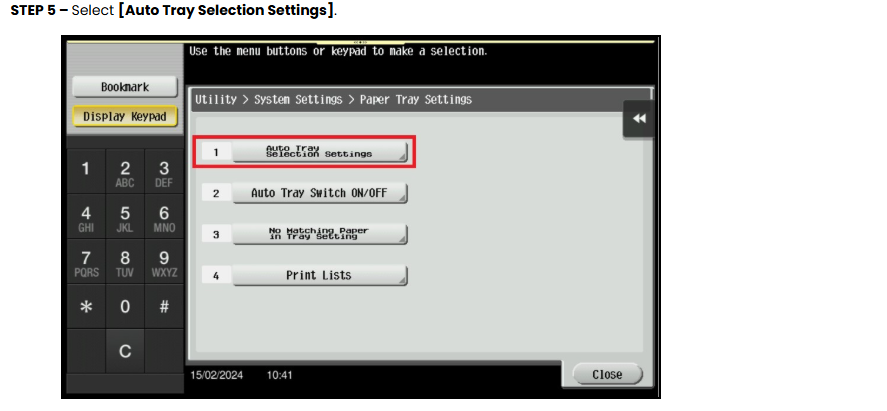
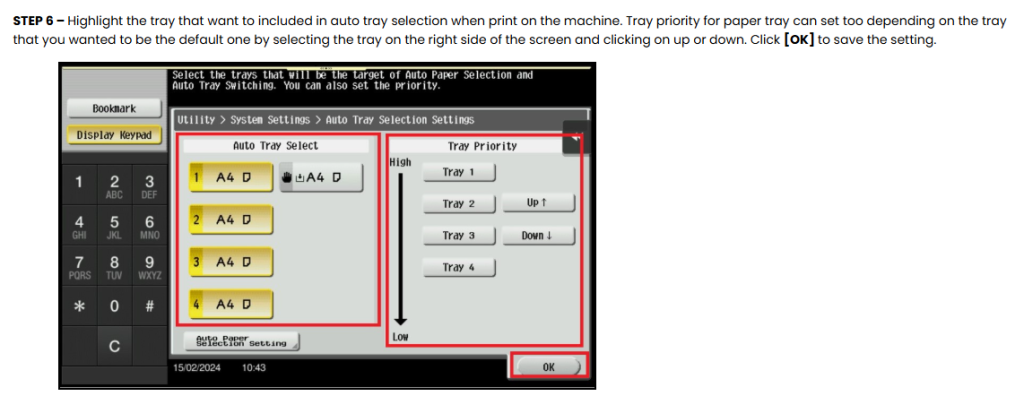
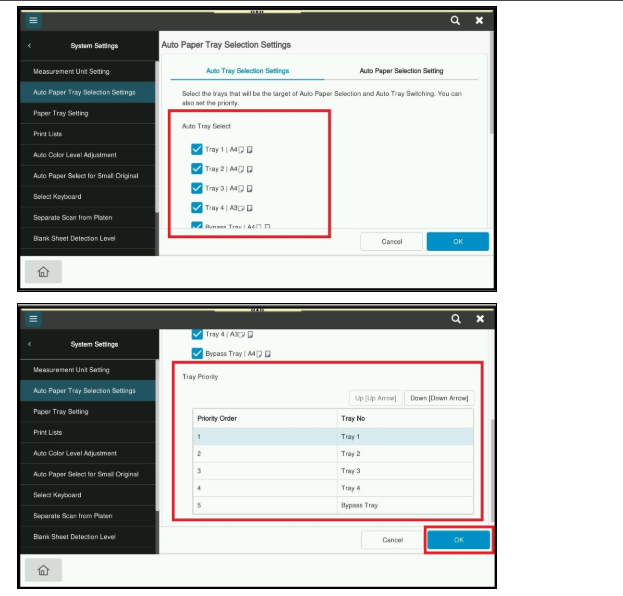
STEP 5 – Tick the tray that want to included in auto tray selection when print on the machine. Tray priority for paper tray can set too depending on the tray that you wanted to be the default one by selecting the tray on the bottom side of the screen and clicking on up or down. Click [OK] to save the setting.