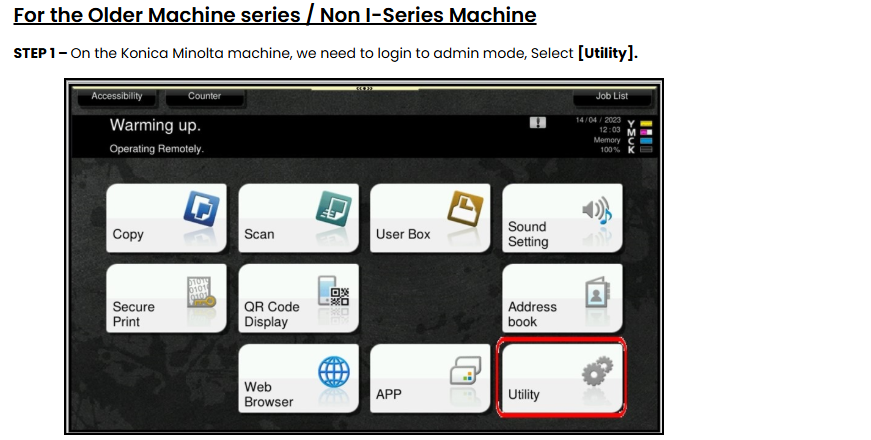
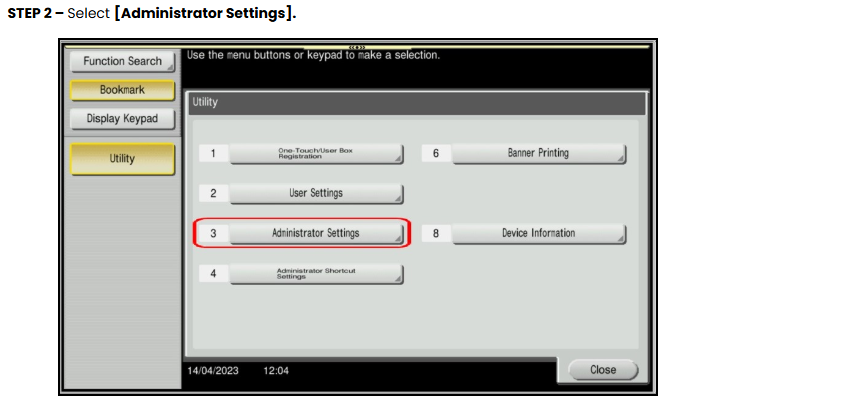
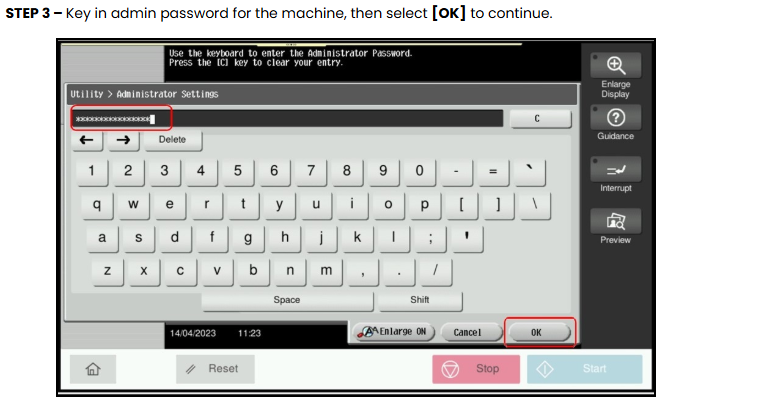
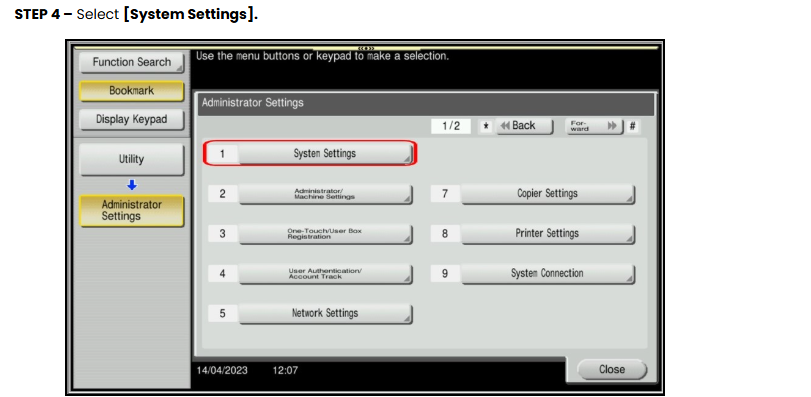
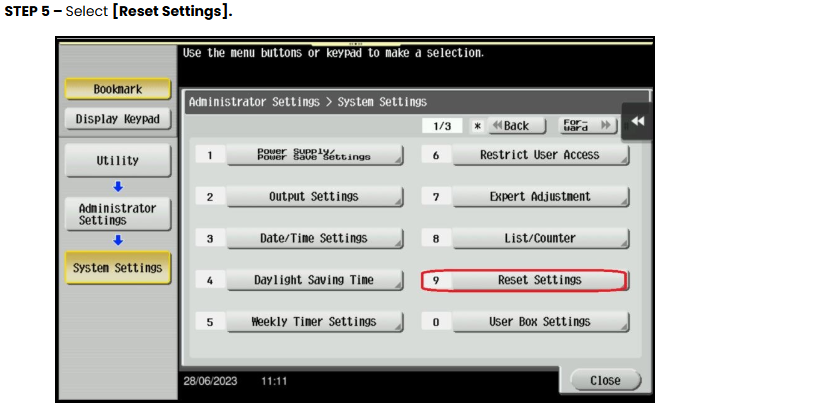
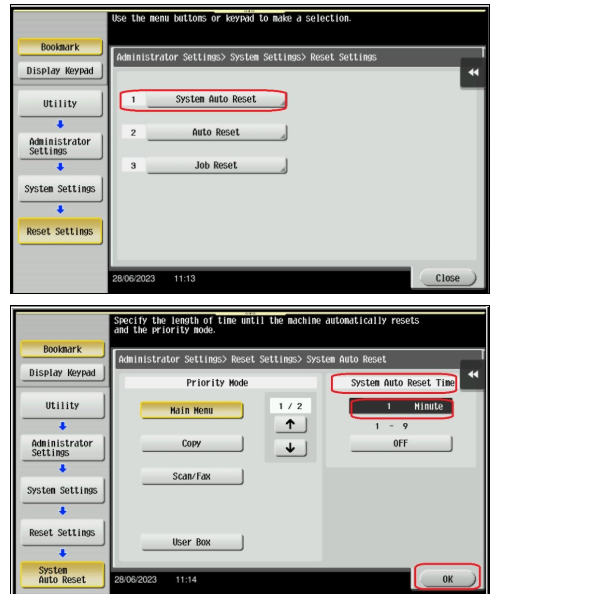
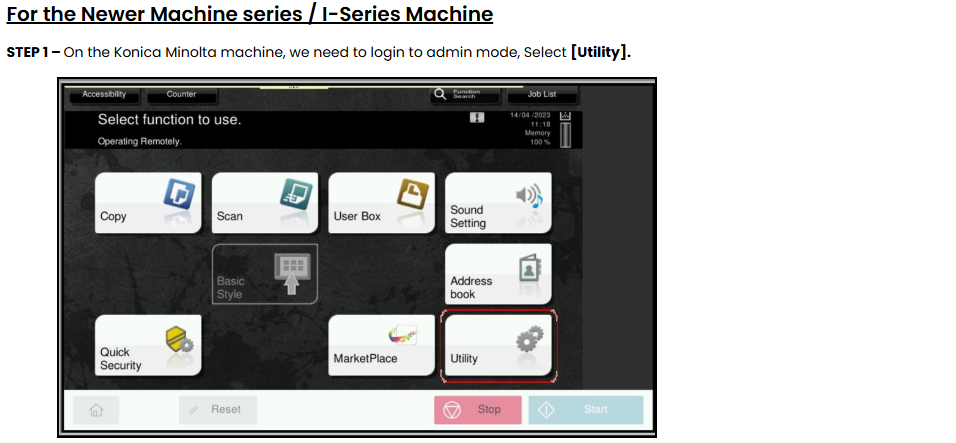
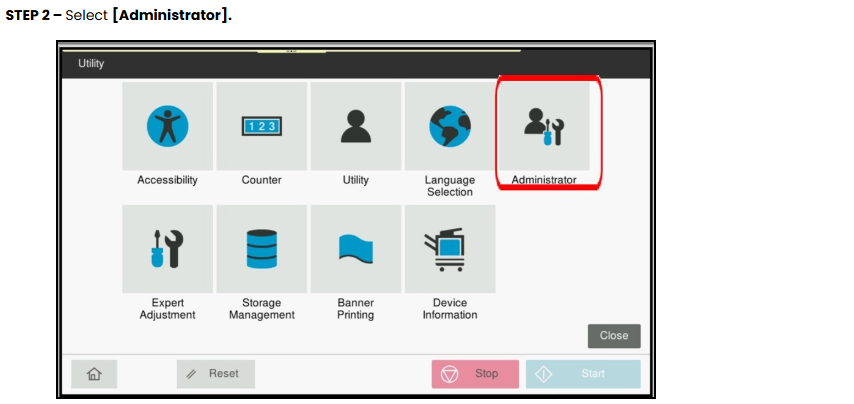
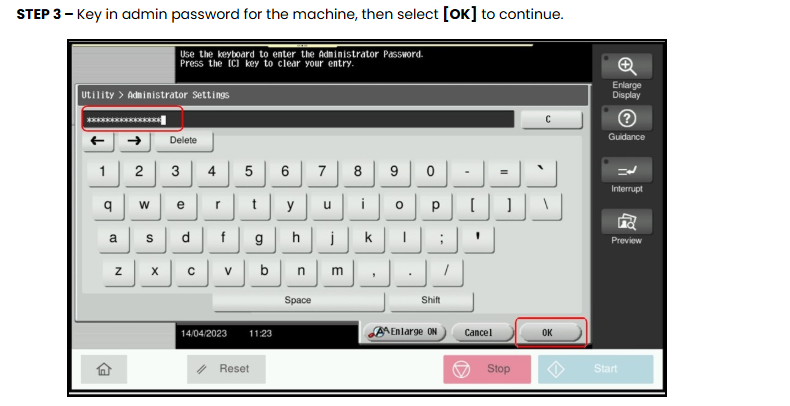
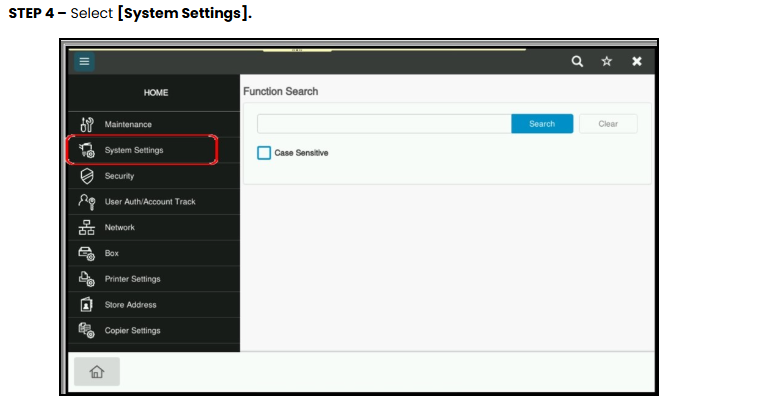
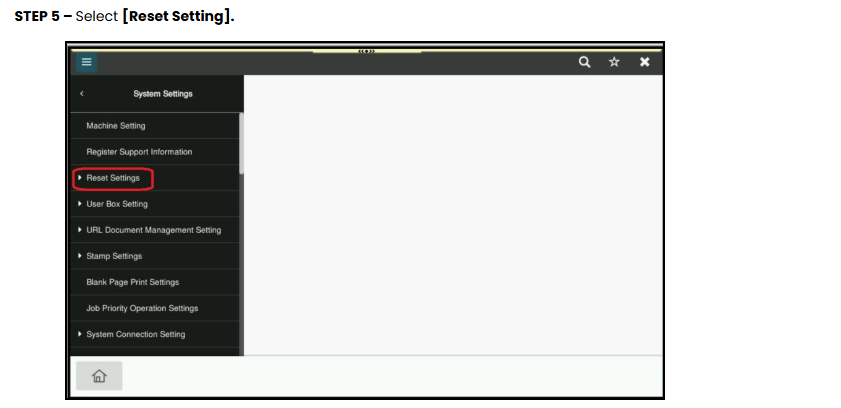
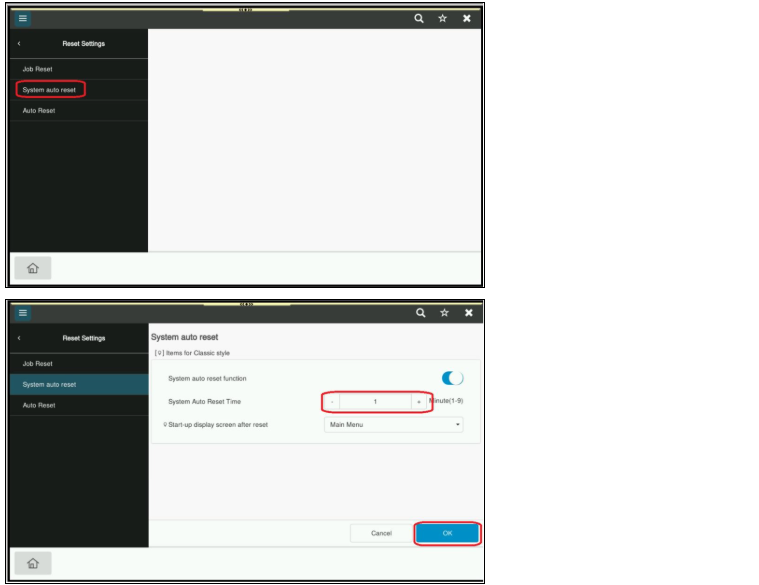
HomeKonica Minolta FAQsHow to adjust authentication auto logout timer How to adjust authentication auto logout timer Guide on how to adjust authentication auto logout timer on machine. STEP 6 – Select [System Auto Reset], enter a value between 1 and 9 minutes (1 default), click on [OK] to save the settings.Note: Even if the System Auto Reset Time is set to “OFF”, Authentication Auto Logout occurs after 1 minute by default. STEP 6 – Select [System Auto Reset], enter a value between 1 and 9 minutes (1 default), click on [OK] to save the settings.Note: Even if the System Auto Reset Time is set to “OFF”, Authentication Auto Logout occurs after 1 minute by default.