Guide on how to change network speed on the machine.
This guide explains how to change the network communication speed on the printer. Adjusting the network speed may help resolve network communication issues or unstable connections.
For Newer Machine series / I-Series Machine (From Machine Control Panel & Web Connection)
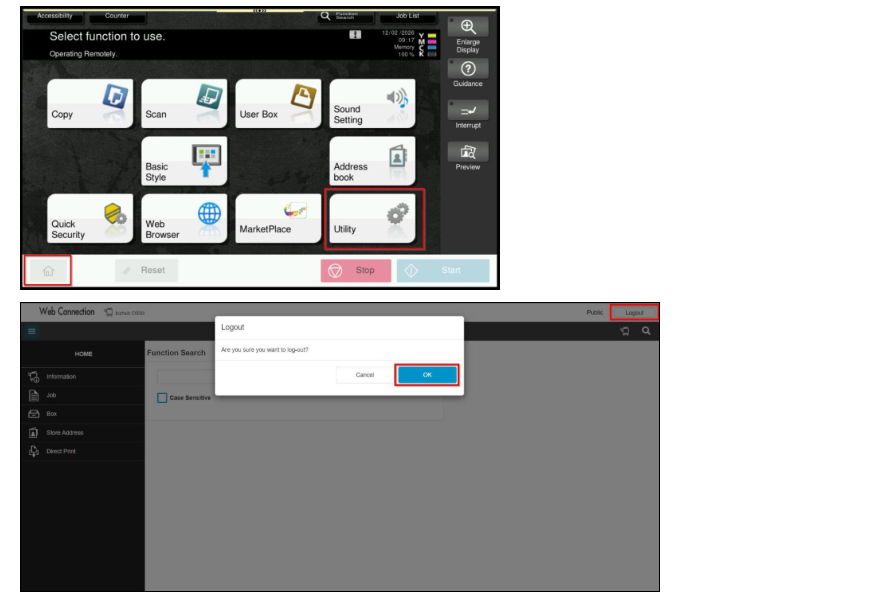
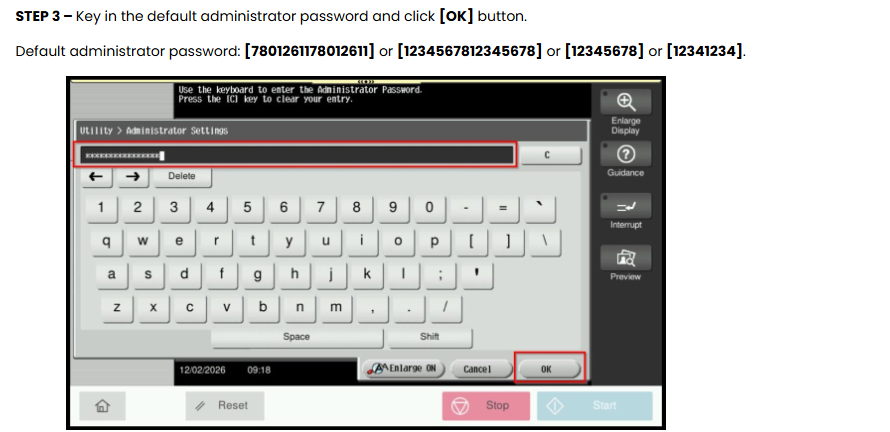
STEP 1 – Select [Home] – [Utility].
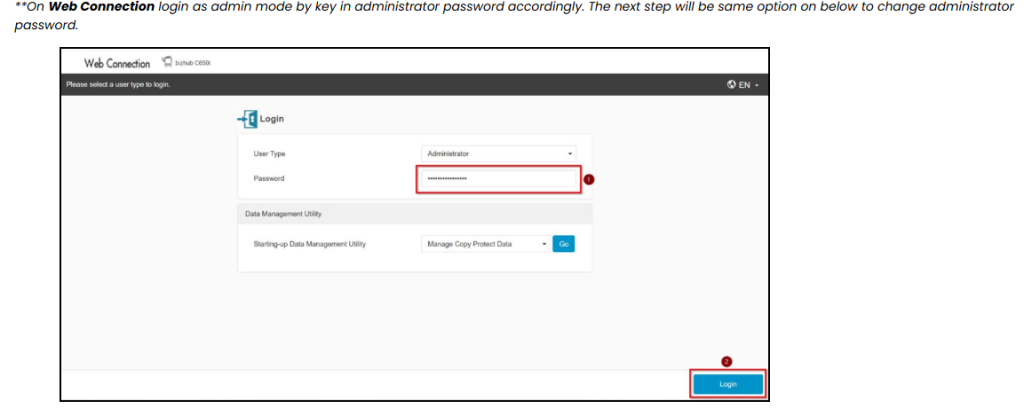
**You may access to web connection via machine IP Address. Click on this to check how to get the IP Address from machine, then key in Konica Minolta Machine IP Address at web browser and log in as admin the Web Connection.
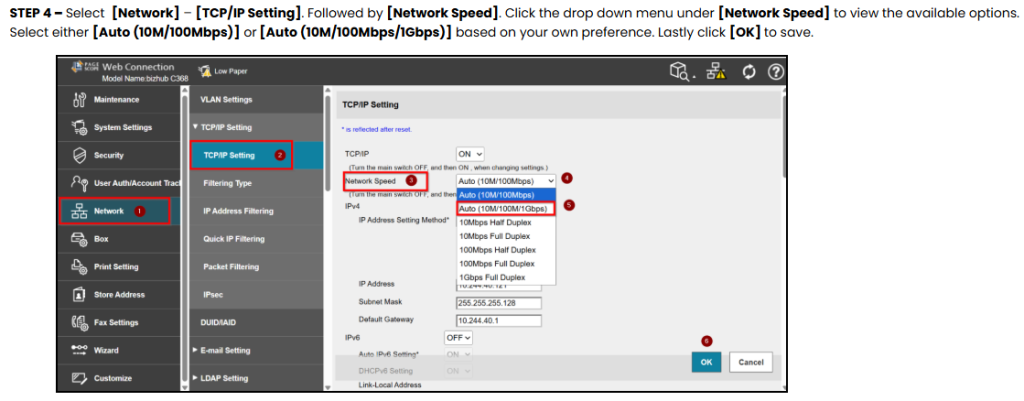
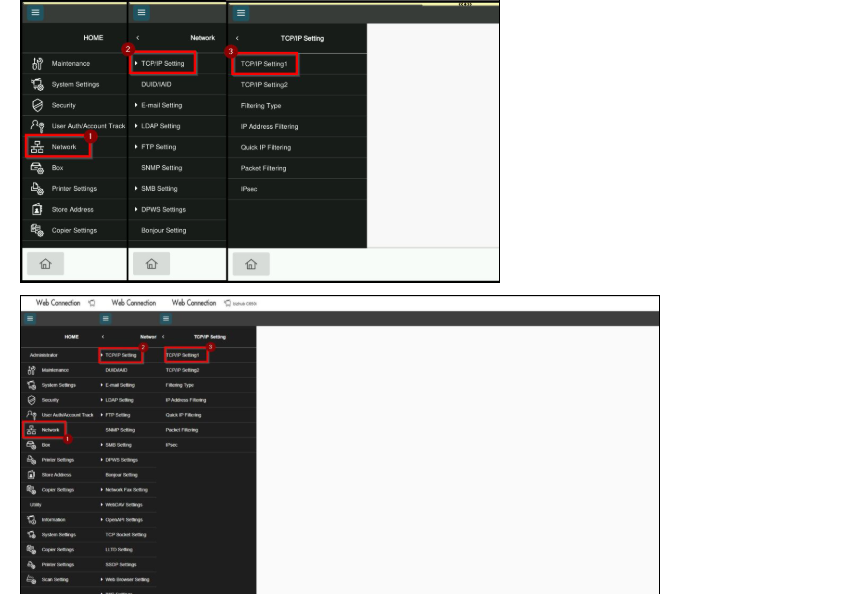
STEP 4 – Go to [Network] – [TCP/IP Setting] – [TCP/IP Setting1].
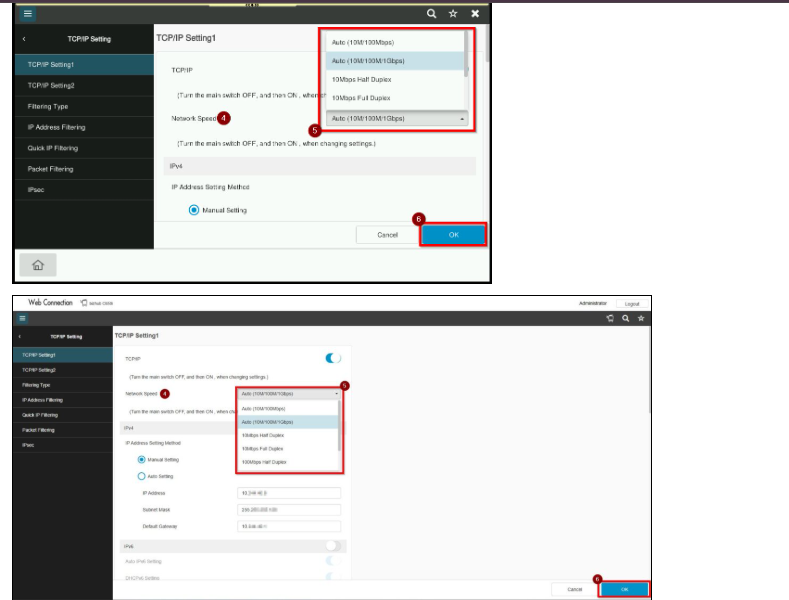
STEP 5 – Click the drop down menu under [Network Speed] to view the available options. Select either [Auto (10M/100Mbps)] or [Auto (10M/100Mbps/1Gbps)] based on your own preference. Lastly click [OK] to save.