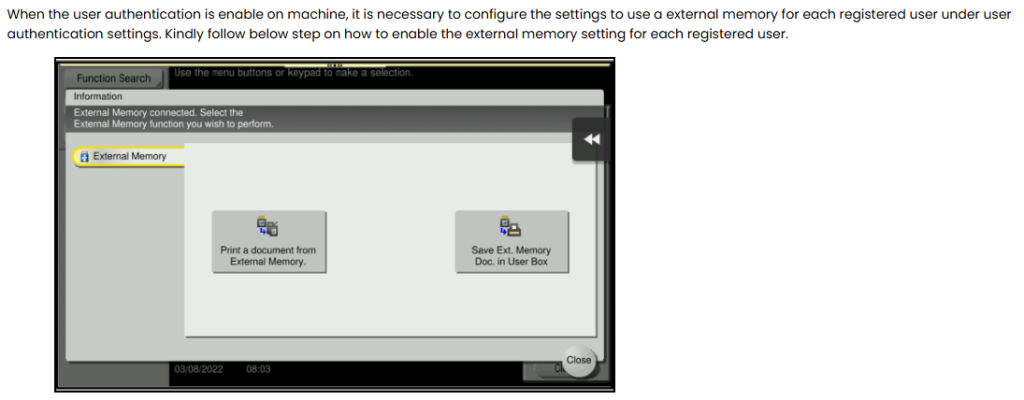
Issue: Unable to Scan and Save document to an External Memory when user authentication is enable
Guide on how to resolve the issue unable to scan and save document to an External Memory or Thumb Drive when user authentication is enable
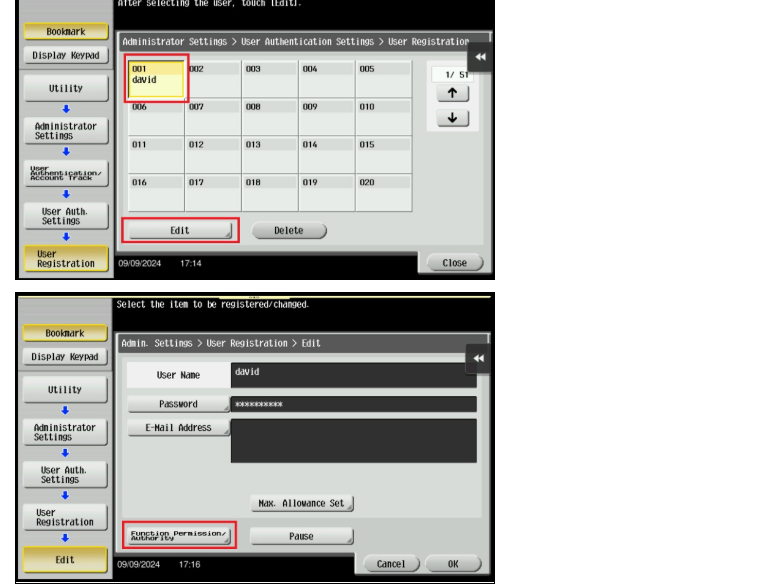
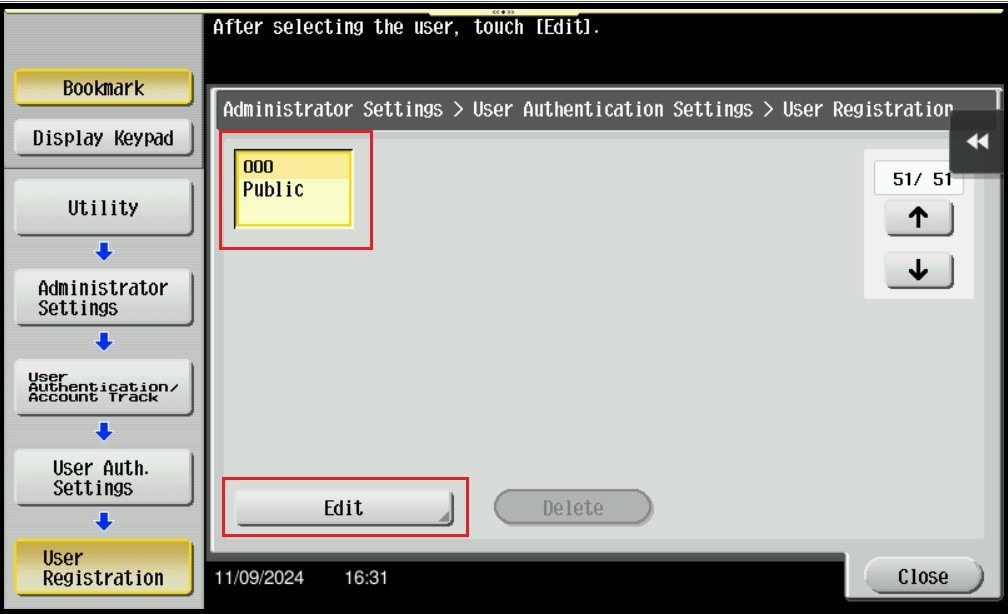
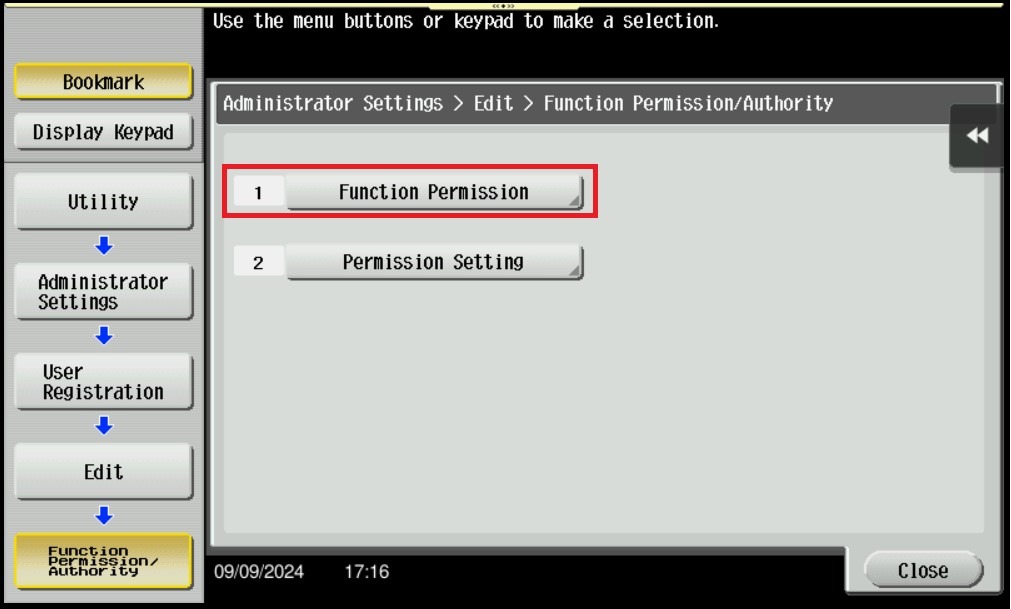
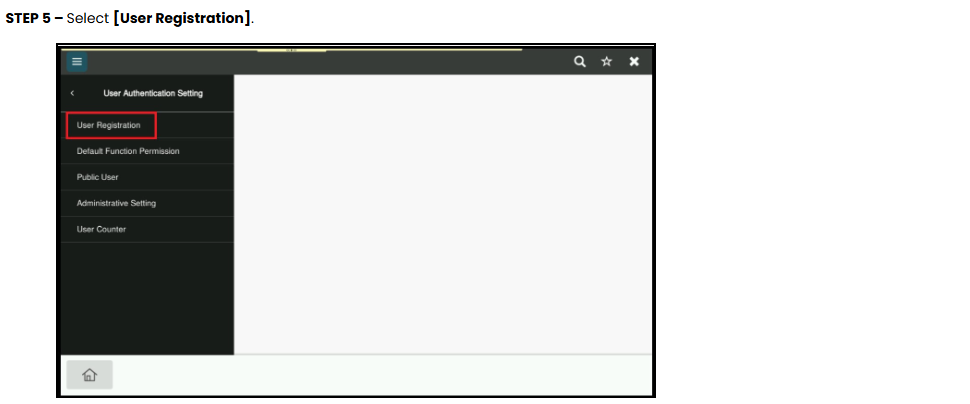
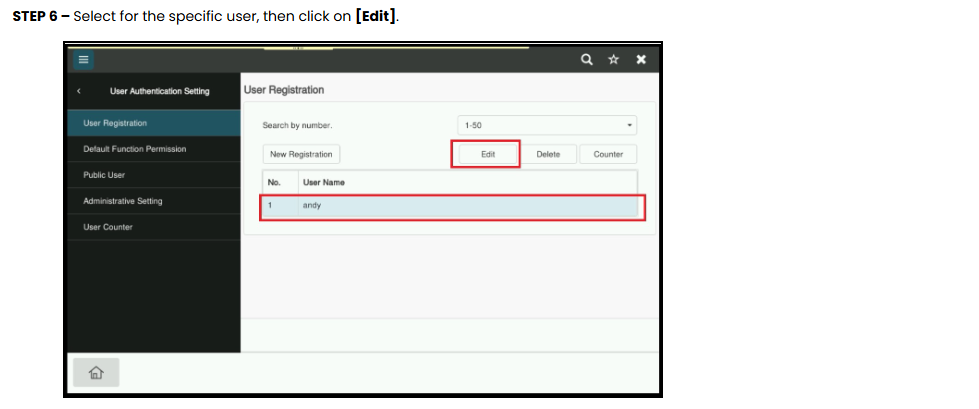
STEP 7 – Select the user that want to edit, then click on [Edit] – [Function Permission/Authority].
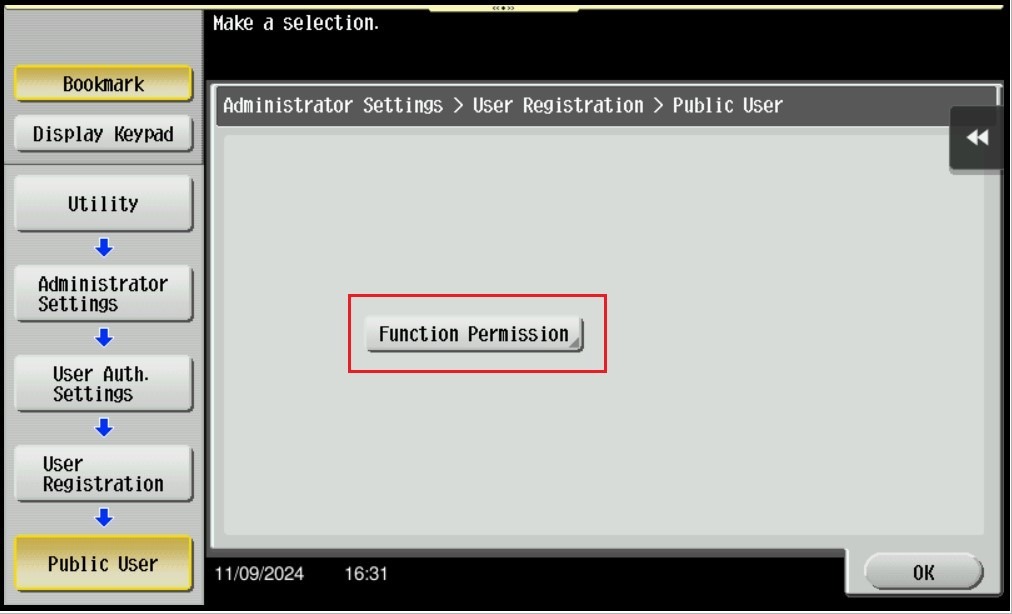
**For public user, navigate to last page of User Registration by click on [↑], select Public, thenclick on [Edit] – [Function Permission].
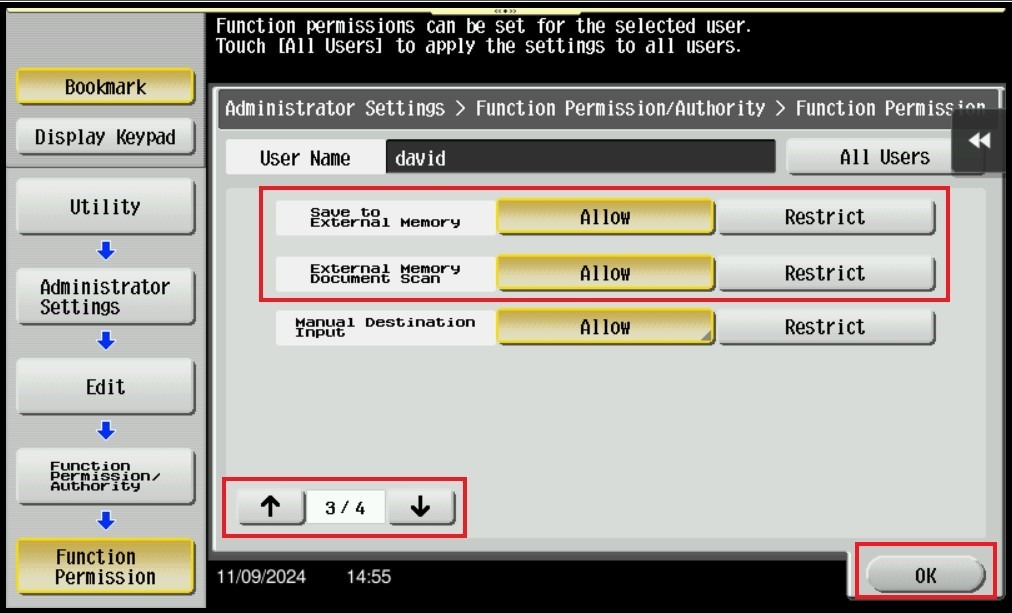
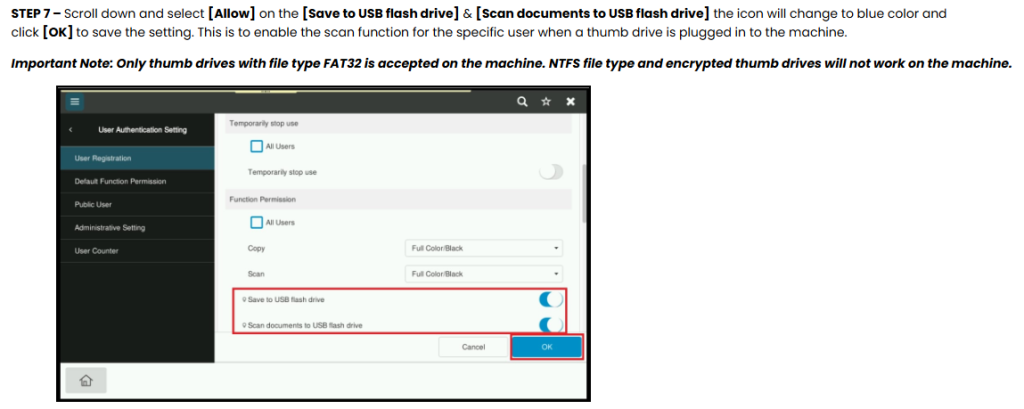
STEP 8 – Select [Function Permission],navigate to [3rd Page]. Select [Allow] on [Save to External Memory] & [External Memory Document Scan] and click [OK] to save the setting. This is to enable the scan function for the specific user when a thumb drive is plugged in to the machine.
Important Note: Only thumb drives with file type FAT32 is accepted on the machine. NTFS file type and encrypted thumb drives will not work on the machine.
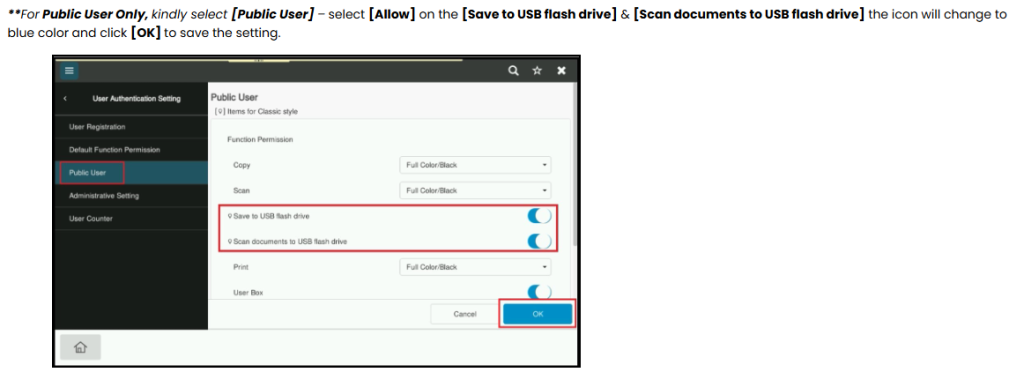
**For Public User, navigate to [3rd Page]. Select [Allow] on [Save to External Memory] & [External Memory Document Scan] and click [OK] to save the setting. This is to enable the scan function for the public user when a thumb drive is plugged in to the machine.