
How to Reduce Office Printing Costs: The Strategic B2B Expense Guide
Discover how to reduce office printing costs by up to 40% this year. Learn how print policies, hardware consolidation, and smart software stop document wastage via Copier2U.
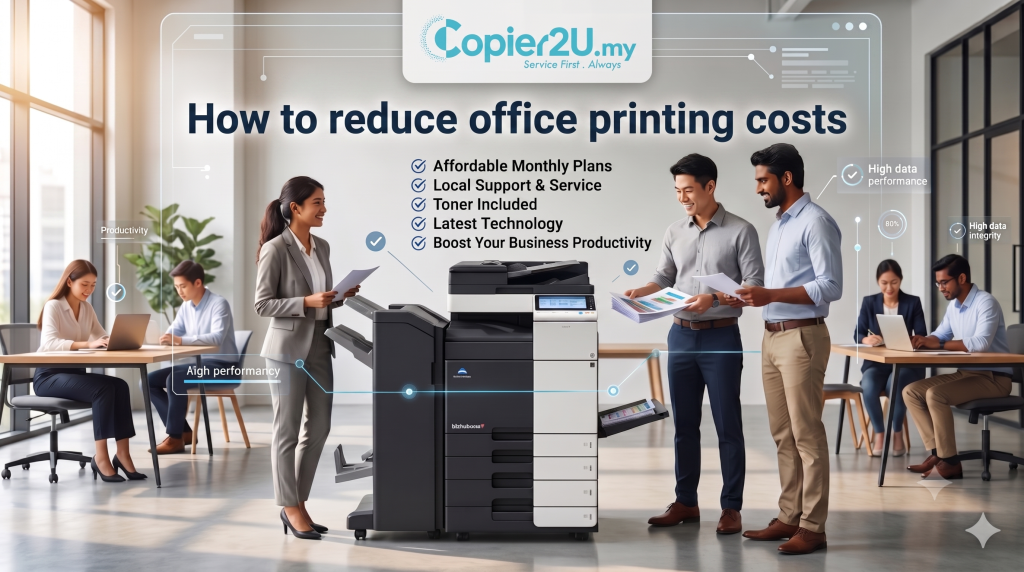
In today’s highly competitive corporate environment, managing operational expenditures (OpEx) is essential for maintaining strong corporate profit margins. While executive boards focus on high-visibility overheads like utility bills and office rental rates, a significant operational drain often slips by unmonitored: the corporate print environment. Unmanaged employee printing habits, unmonitored color document outputs, and continuous paper wastage can easily inflate your company’s administration budget.
If your procurement managers or finance directors are searching for practical ways on How to Reduce Office Printing Costs, implementing a structured print strategy is the most effective path forward. This operational manual outlines actionable corporate steps to optimize your printing environment, eliminate paper waste, and cut your document processing costs by up to 40%.
Hardware Consolidation: Eliminating the Desktop Printer Drain
The most critical initial step when analyzing How to Reduce Office Printing Costs is auditing your office’s physical hardware footprint. Many expanding local businesses make the mistake of scattering small, cheap consumer desktop inkjet or laser printers across various departments, believing it offers convenience. In reality, this fragmented layout is an incredibly expensive approach to document management.
Consumer desktop printers carry an exceptionally high cost-per-page metric. They use small ink cartridges that deplete rapidly and require frequent, expensive replacement out-of-pocket. Furthermore, these light-duty units are prone to overheating and mechanical failures, resulting in unpredictable repair bills.
 The Consolidation Solution:
To effectively solve the puzzle of How to Reduce Office Printing Costs, you must consolidate your hardware footprint. Replace scattered desktop units with a single, highly efficient, centralized floor-standing multi-functional printer (MFP). By shifting your multi-user network demands onto an enterprise-grade machine selected from the top 3 best photocopier in Malaysia—Ricoh, Canon, and Konica Minolta—your firm instantly gains access to lower cost-per-page metrics, heavy-duty processing speeds, and a more streamlined print environment.
Implementing Intelligent Digital Print Policies
You cannot manage what you do not measure. If employees are left to print unrestricted, your company will continue to face high paper and toner expenditures. Learning How to Reduce Office Printing Costs requires deploying strict print policies across your local area network (LAN):
Enforce Duplex (Double-Sided) Printing as Default: Forcing the printing engine to default to double-sided output across all departments instantly slashes your paper ream procurement costs by up to 50%.
Restrict Color Printing Permissions: Color printing uses multiple specialized toner powders, making it significantly more expensive per page than standard black-and-white output. Restrict color access to departments that genuinely require it (such as Marketing or Design) while defaulting standard administrative, legal, and accounting workflows to low-cost monochrome.
Deploy Digital “Scan-to-Email” Workflows: Encourage your staff to transition into digital data handling. By utilizing the fast scanning capabilities of premium machines, workers can effortlessly convert physical records into secure PDFs, distributing information digitally rather than printing unnecessary physical duplicates.
Pre- vs. Post-Optimization Cost Matrix
To demonstrate the clear financial value of learning How to Reduce Office Printing Costs, this table compares unmanaged print setups with a consolidated, managed office print environment:
| Operational Variable | Unmanaged Printing Environment | Optimized Printing Environment |
| Hardware Layout | Scattered consumer desktop printers | Centralized floor-standing enterprise MFP |
| Average Cost-Per-Page | Extremely High (Variable ink cartridge rates) | Exceptionally Low (Fixed corporate click rates) |
| Toner Consumables Supply | Paid out-of-pocket (Prone to price spikes) | 100% Free & Unlimited Refills |
| Paper Management | High wastage (Uncollected sheets left on trays) | Zero Wastage (Secure user PIN release) |
| Technical Maintenance | High variable third-party repair bills | 100% Free Coverage (Included in lease) |
FAQ
1. What is the fastest method on How to Reduce Office Printing Costs for an SME?
The absolute fastest method on How to Reduce Office Printing Costs is setting all network printer drivers to default to double-sided (duplex) printing and black-and-white mode, which instantly limits paper and color toner wastage.
2. Can print management software assist in How to Reduce Office Printing Costs?
Yes, completely. Implementing intelligent print tracking software like PaperCut MF allows managers to monitor print volumes per user, establish monthly employee quotas, and eliminate uncollected paper waste on output trays.
3. Does upgrading to a managed rental plan explain How to Reduce Office Printing Costs?
Yes. Moving from owned hardware to a managed lease plan under How to Reduce Office Printing Costs parameters converts variable repair costs and toner purchases into a single, predictable monthly fee with free unlimited toner replacements.
4. How does color printing impact our strategy on How to Reduce Office Printing Costs?
Color print runs require specialized cyan, magenta, and yellow toner powders, making them significantly more expensive than monochrome. Restricting color permissions to design and sales teams helps keep your office expenses fully optimized.
5. Which brand from the top 3 best photocopier in Malaysia helps best with How to Reduce Office Printing Costs?
Our premium fleet features the top 3 best photocopier in Malaysia: Ricoh, Canon, and Konica Minolta. Every model comes equipped with highly efficient eco-modes and smart sleep states designed to actively reduce your workspace electricity consumption.
6. Can digital scanning help on How to Reduce Office Printing Costs?
Yes. Encouraging your office to utilize high-speed “Scan-to-Folder” or “Scan-to-Email” functions allows teams to share and archive documents digitally, directly lowering your raw paper usage.
7. What is "Secure Pull Printing," and does it help How to Reduce Office Printing Costs?
Secure Pull Printing holds print jobs in a digital queue until the employee physically walks up to the copier and enters a PIN code. This stops the common problem of forgotten documents being printed and left abandoned on the tray.
Copier2U's Services
Find the right product based on your requirement.
Refurbished Copiers
Our refurbished copier offer a smart printing solution for businesses seeking reliable performance without compromising on affordability.
Digital Black / White & Colour Copiers
As specialists in refurbishing all kinds of B/W and color copiers from top brands, we offer affordable rental copier plans to meet your business needs.
Spare Part and Consumables Item
Whether you’re in need of replacement parts or consumables to keep your copier running smoothly, we’ve got you covered.
Maintenance Contract
With our maintenance contracts, you can enjoy peace of mind knowing that your copiers are well taken care of.
Copier Rental Service
We offer highly flexible photocopier rental plans tailored to match your specific business timeline and budget. Whether you need a Short-Term Rental, or a Long-Term Rental, we have you covered.
Find us
What Our Clients Say
Trusted by businesses across Kuala Lumpur, Selangor & Putrajaya for reliable photocopier rental and fast support.

4.9 Google Rating • Verified reviews from real customers across Malaysia
Our dedicated technical dispatch team provides rapid 24-hours on-site maintenance to ensure your office print workflow runs smoothly. We proudly serve corporate offices, small businesses, and events across all major commercial hubs within Kuala Lumpur, Selangor, and Putrajaya.
Choosing the right office hardware configuration can significantly impact your monthly overhead. Before committing to a machine, it is highly recommended to read our comprehensive guide on Black & White Photocopier Rental to discover which option best suits your actual monthly print volume. Additionally, keeping your operational budget safe is easy once you understand the simple maintenance habits outlined in our guide on Colour Photocopier Rental.
Request free quote now
Fill in form or call us +6019 263 0988.
Connect with us today and discover how our expertise can empower your projects.