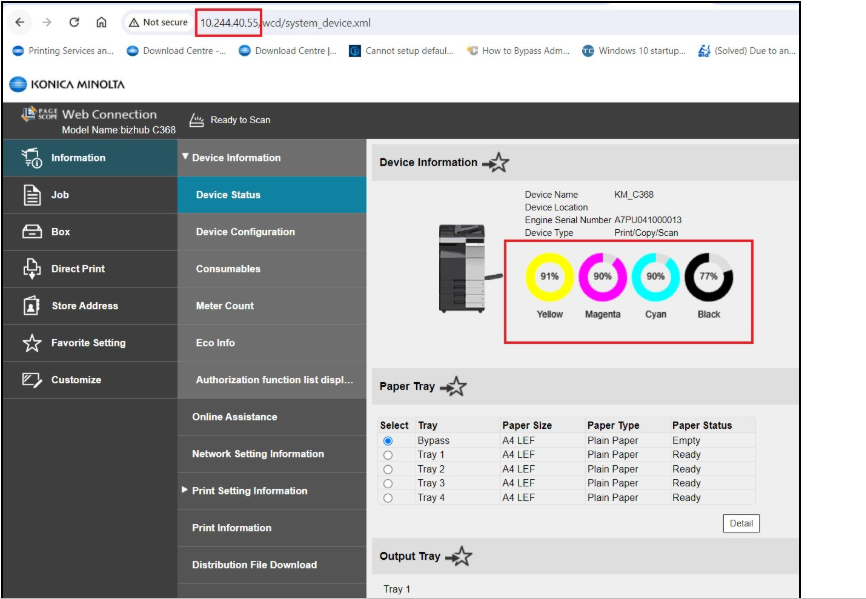
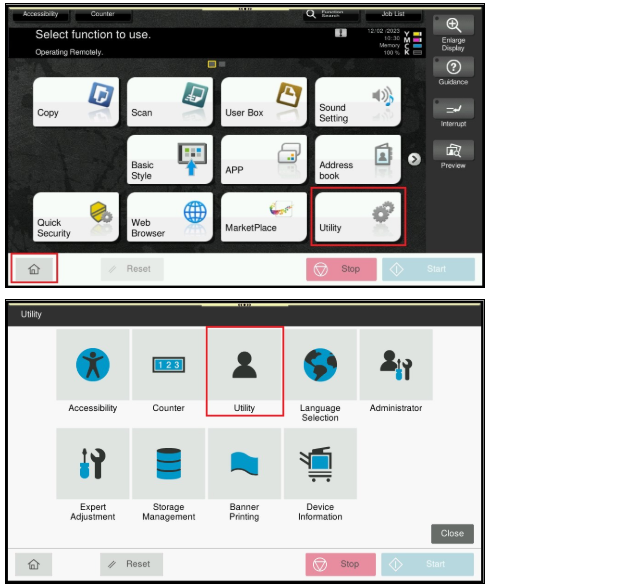
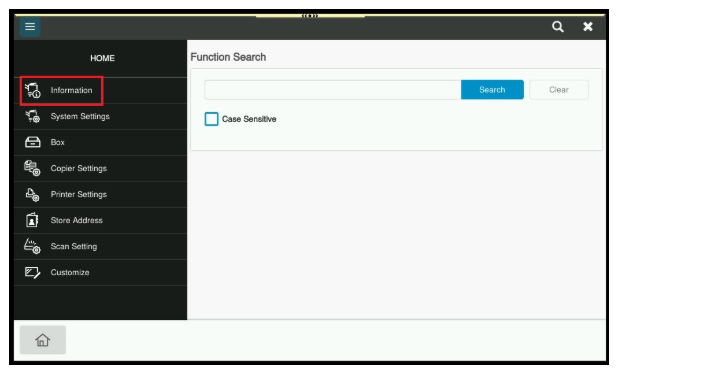
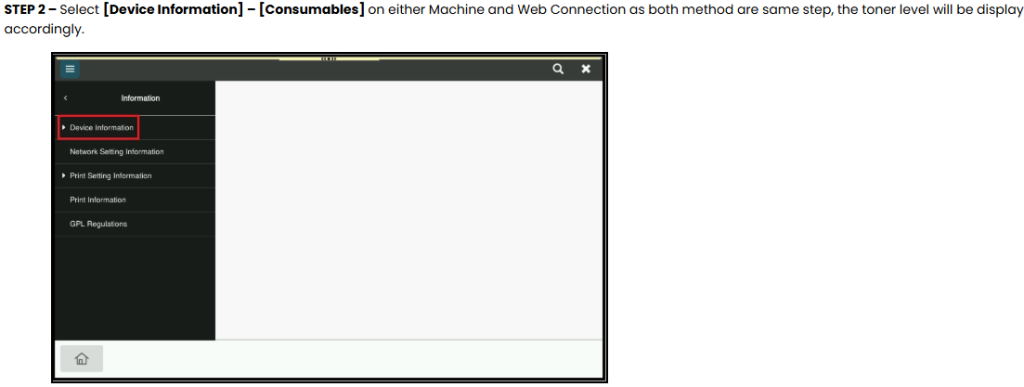
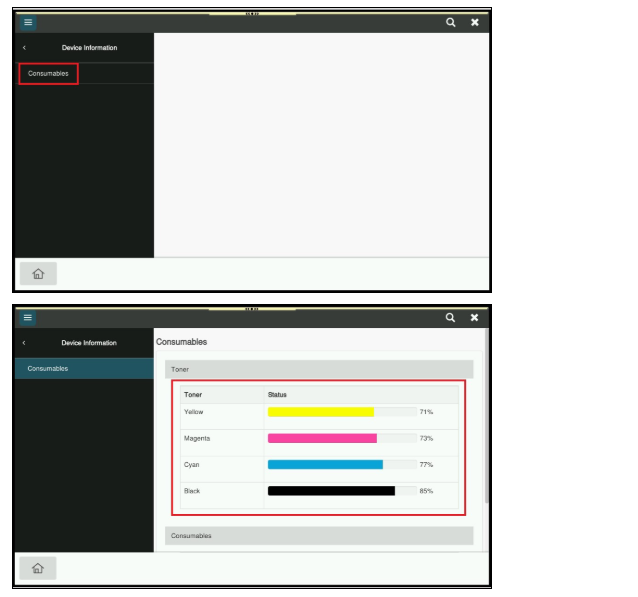
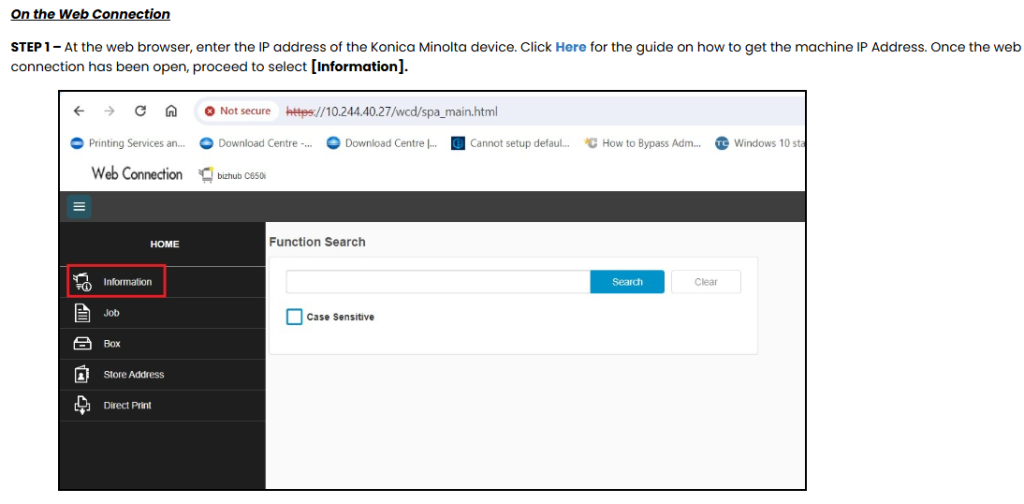
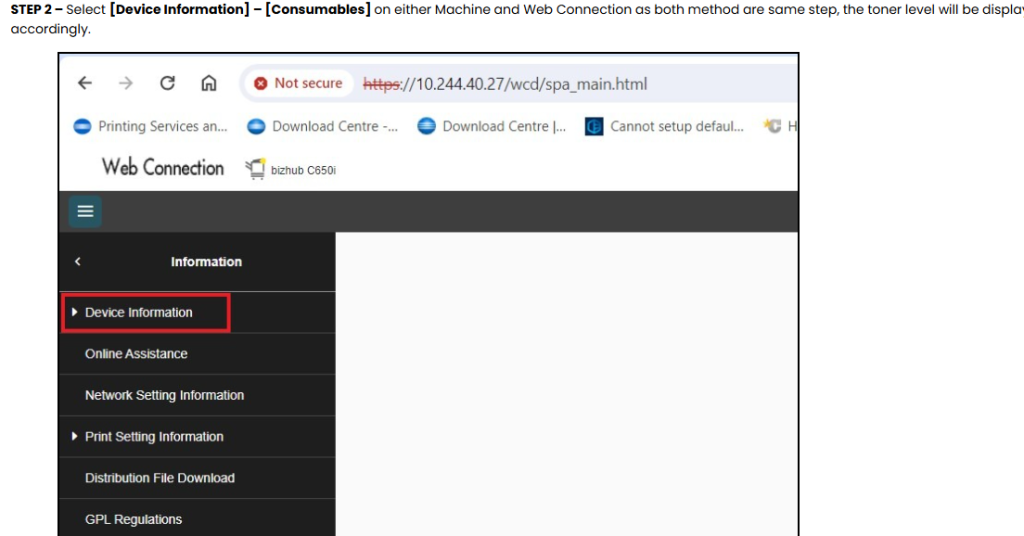
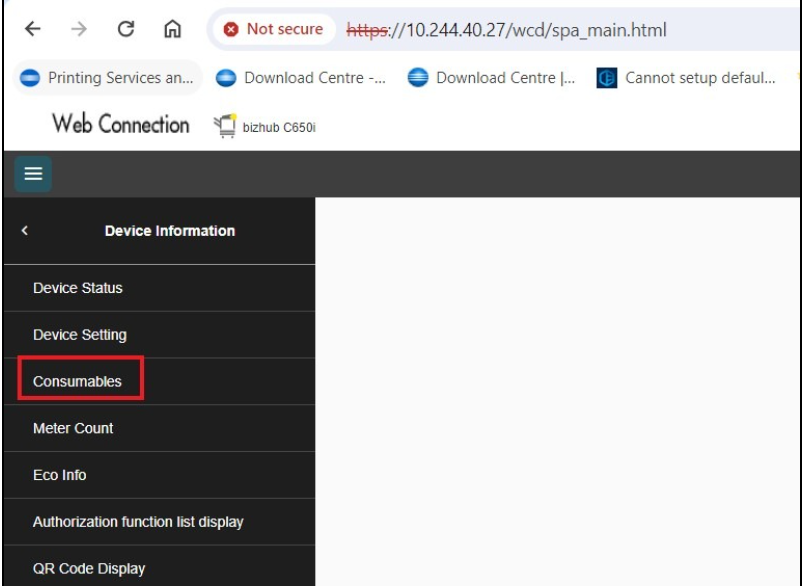
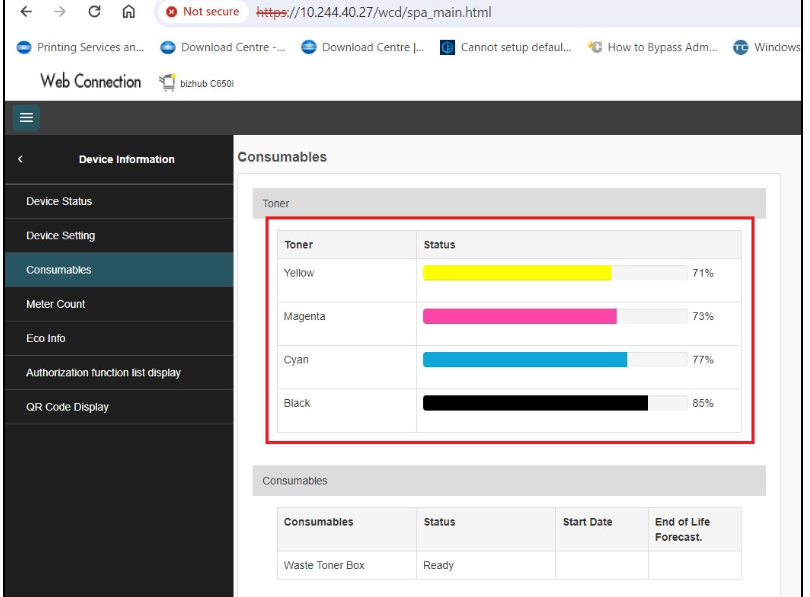
HomeKonica Minolta FAQsHow to check the toner level from Machine and Web Connection How to check the toner level from Machine and Web Connection Guide on how to check toner level from Machine and Web ConnectionFor the Older Machine series / Non I-Series Machine (Only can check toner level on the Web Connection, the machine is not available)STEP 1 – At the web browser, enter the IP address of the Konica Minolta device. Click Here for the guide on how to get the machine IP Address. STEP 2 – The Toner Level will be display at the right hand side besides the printer icon. For The Newer Machine Series / I-Series Machine (Can perform on either the machine or the Web Connection)On the MachineSTEP 1 – On the Konica Minolta machine, click on [Home] – [Utility] – [Utility] – [Information] from Control Panel.