Configure keying and operation sound setting on machine
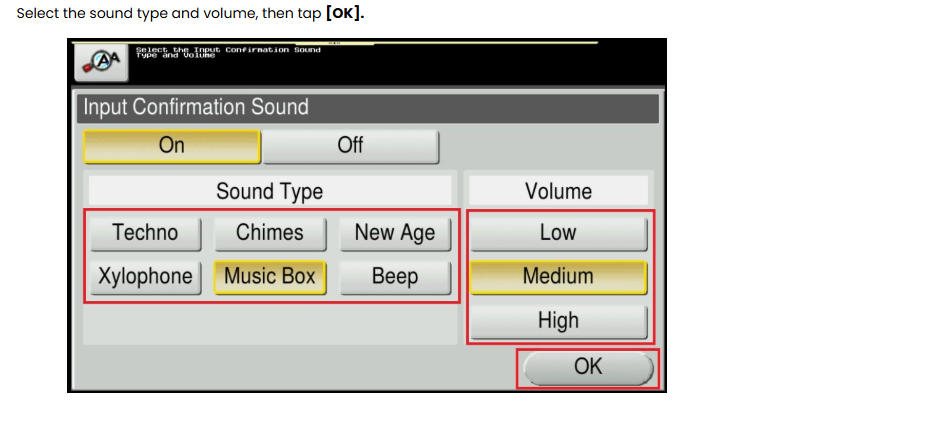
Guide on how to configure keying and operation sound on machine. If necessary, select the sound type and adjust the volume.
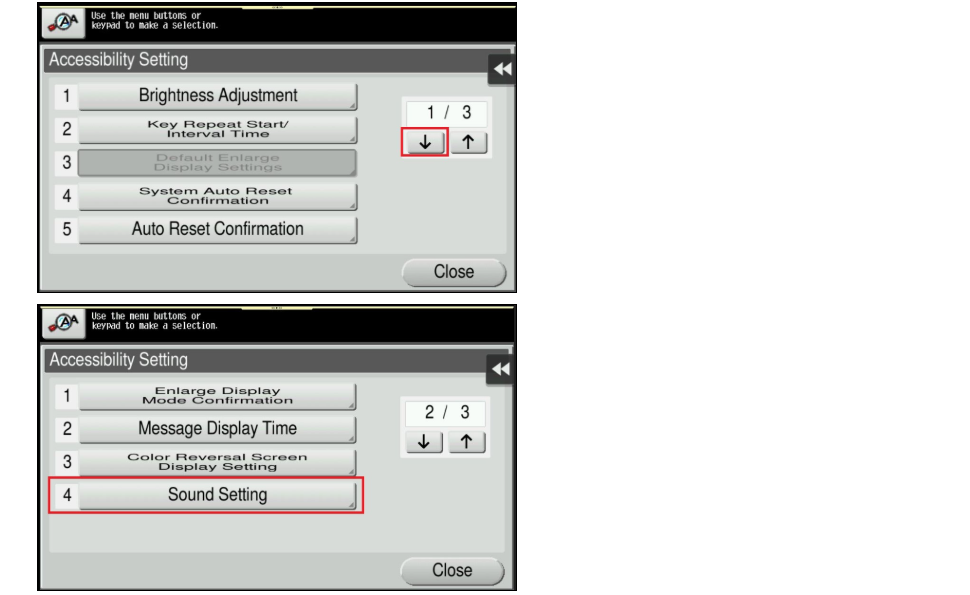
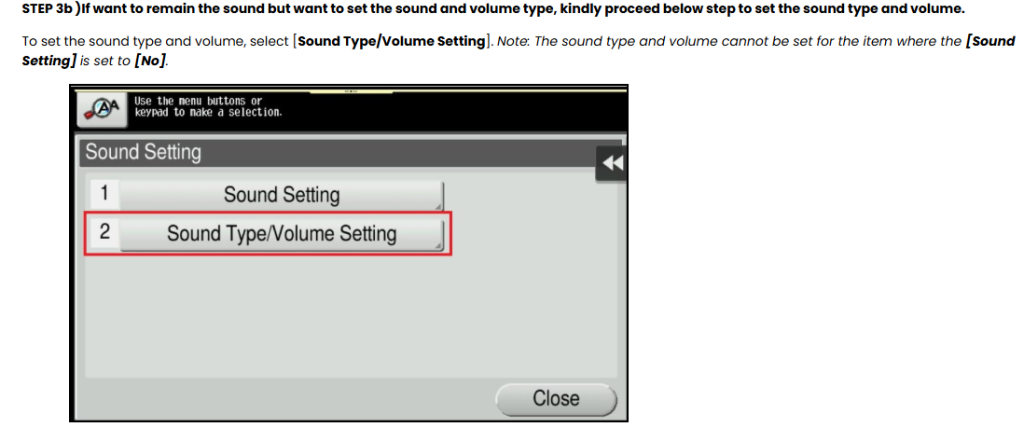
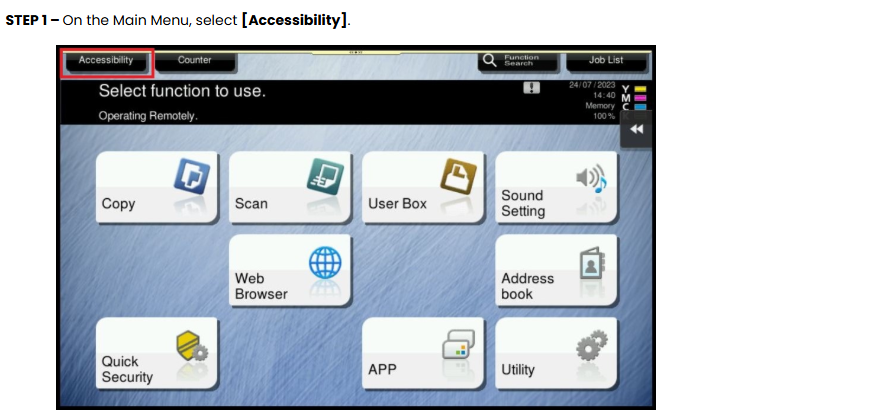
STEP 2 – Click on next page and select [Sound Setting].
| Setting | Description |
|---|---|
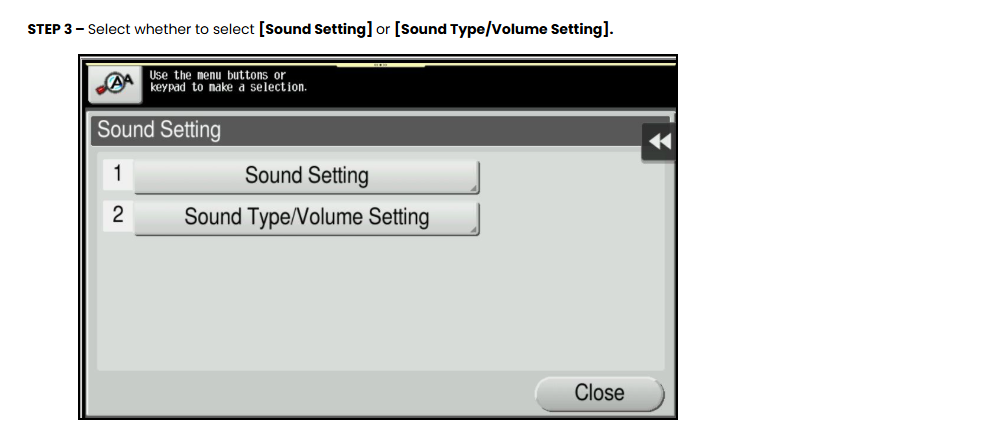
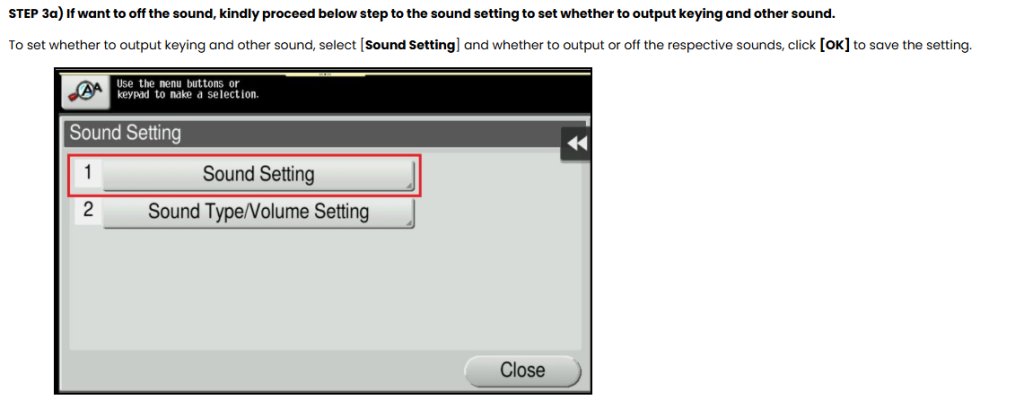
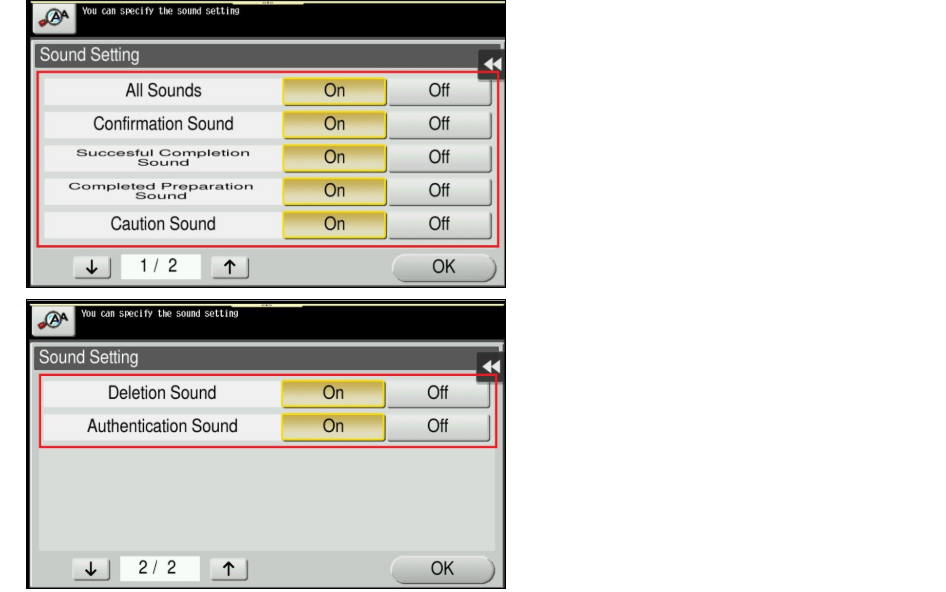
| [Sound Setting] | Select whether to respectively output the [Confirmation Sound], [Successful Completion Sound], [Completed Preparation Sound], [Caution Sound], [Deletion Sound], and [Authentication Sound] (default: [On]). If [All Sounds] is set to [Off], none of these sounds will be output. |
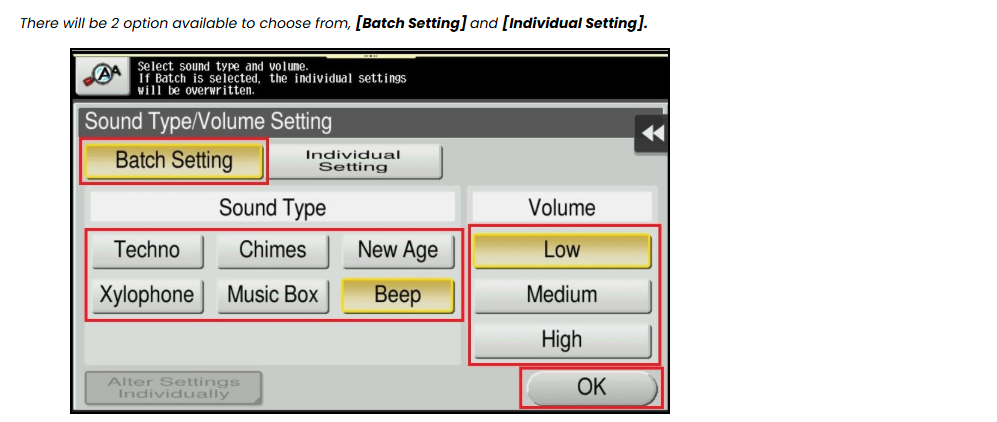
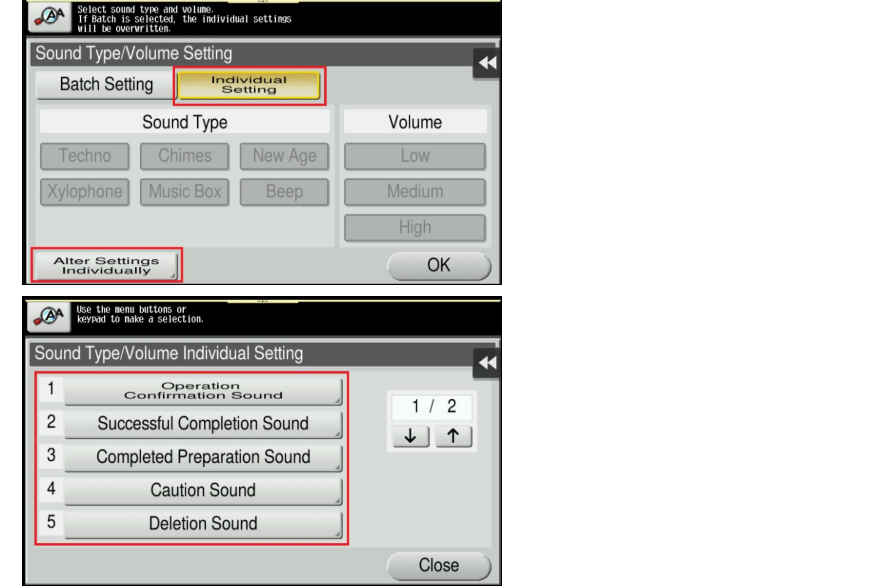
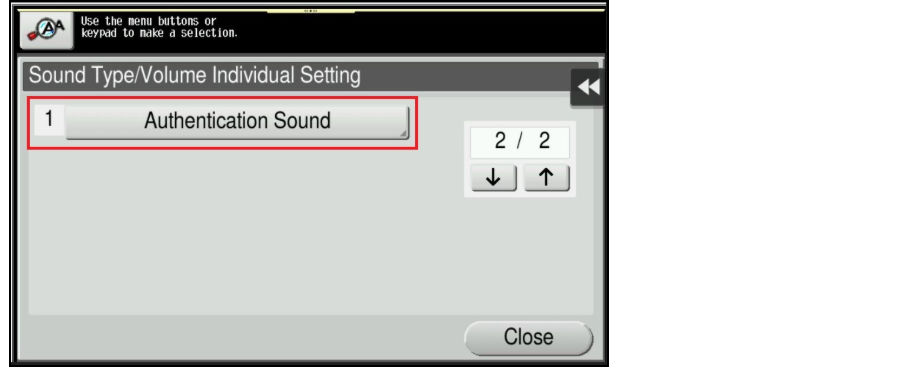
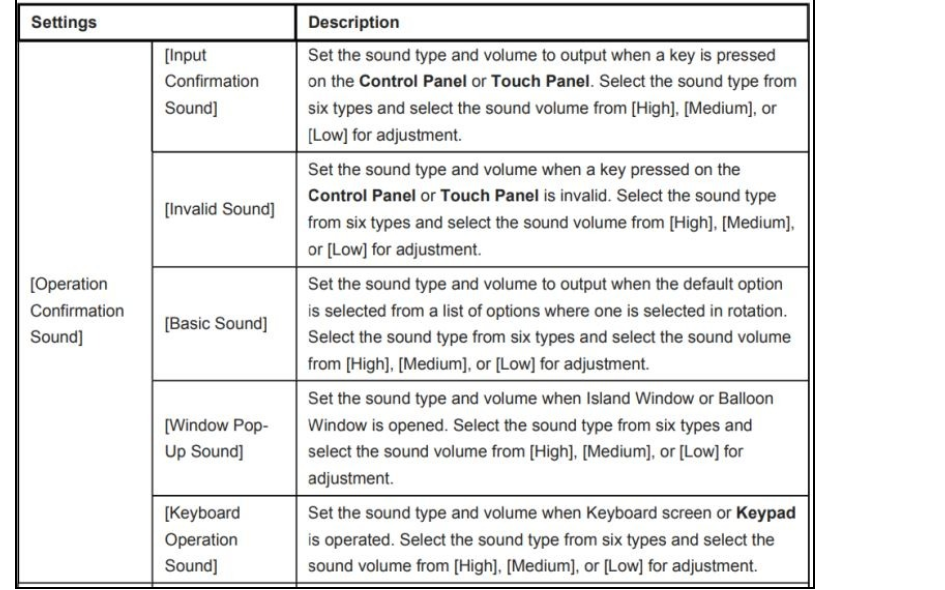
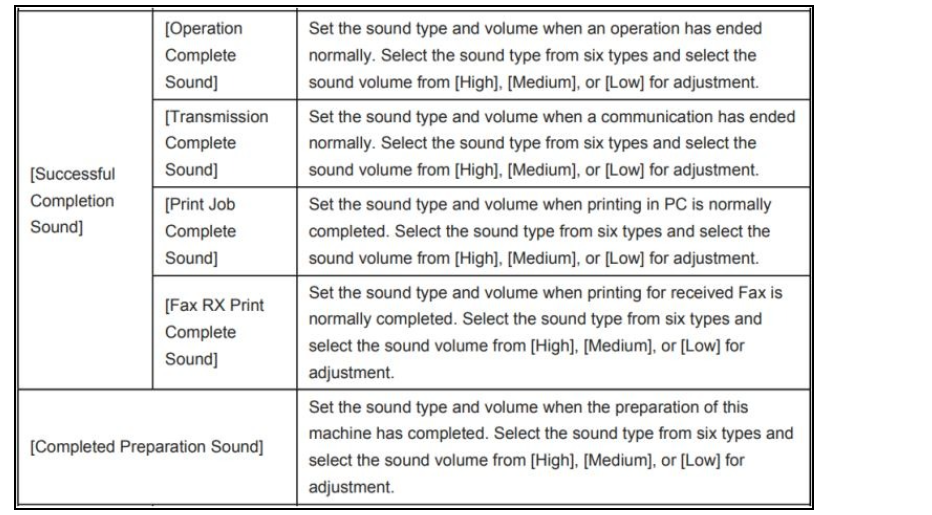
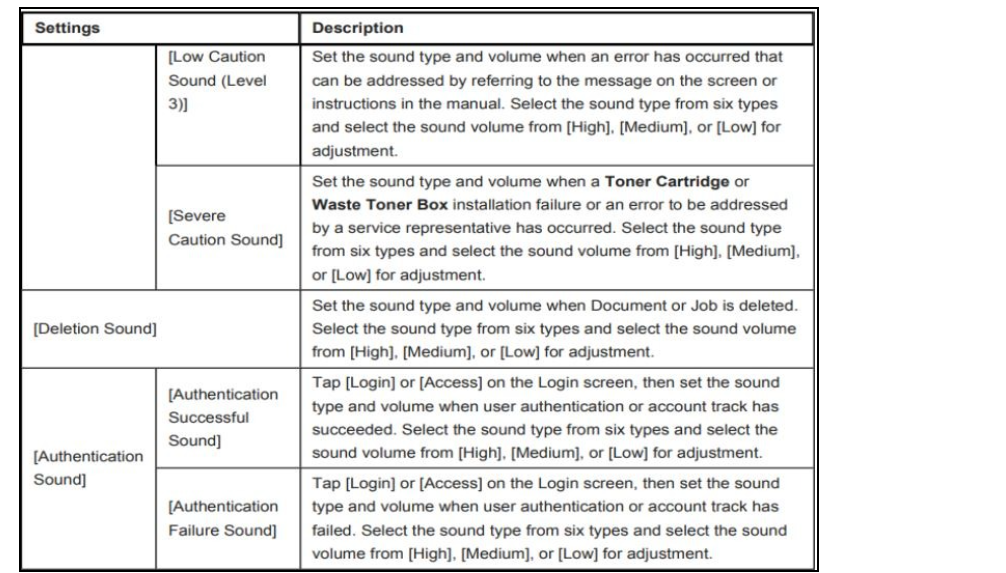
| [Sound Type/Volume Setting] | Specify the sound type and volume for each of [Operation Confirmation Sound], [Successful Completion Sound], [Completed Preparation Sound], [Caution Sound], [Deletion Sound], and [Authentication Sound]. When [Batch Setting] is selected, all the sound type and volume will be set at once. When [Individual Setting] is selected, all the sound type and volume will be set separately. |
| Setting | Description |
|---|---|
| [All Sounds] | Specify whether to output all sounds. |
| [Confirmation Sound] | Set whether or not to output a sound notifying that an operation on the Control Panel or Touch Panel. |
| [Successful Completion Sound] | Set whether or not to output a sound notifying successful completion of an operation. |
| [Completed Preparation Sound] | Set whether or not to output a sound notifying that this machine is ready for operation. |
| [Caution Sound] | Set whether or not to output a sound notifying the need for part replacement or occurrence of an error. |
| [Deletion Sound] | Set whether or not to output a sound when Document or Job is deleted. |
| [Authentication Sound] | Set whether or not to output a sound in association with the authentication results when logging in. |
| Setting | Description |
|---|---|
| [Batch Setting] | All the sound type and volume will be at once. Select the sound type from six types and select the sound volume from [High], [Medium] and [Low]. |
| [Individual Setting] | All the sound type and volume will be set separately. The sound type and volume cannot be set for the item where the [Sound Setting] is set to [No]. |