Guide on how to trouble reset the Konica Minolta machine if and when it is giving an error code.
For The Older Machine Series / Non I-Series Machine
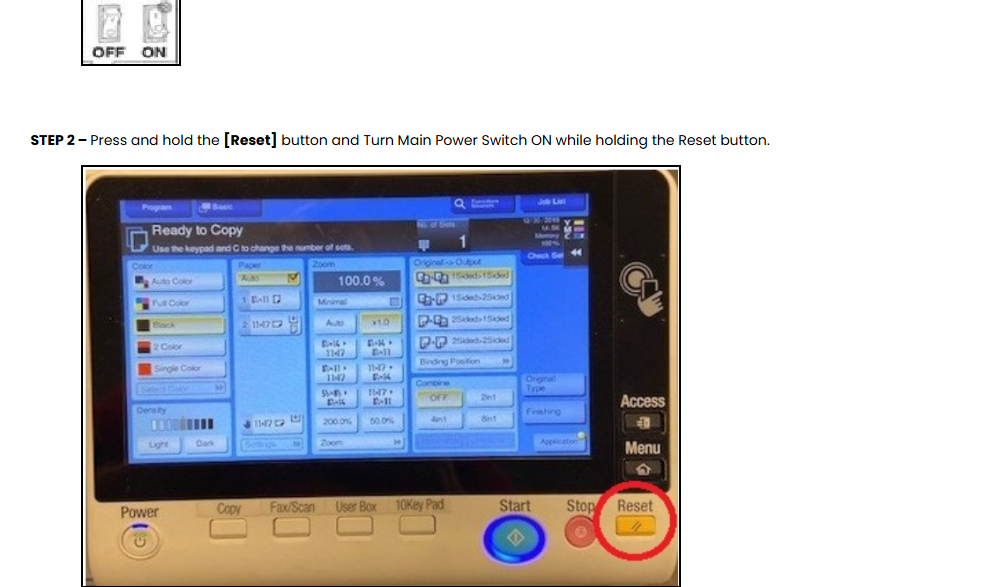
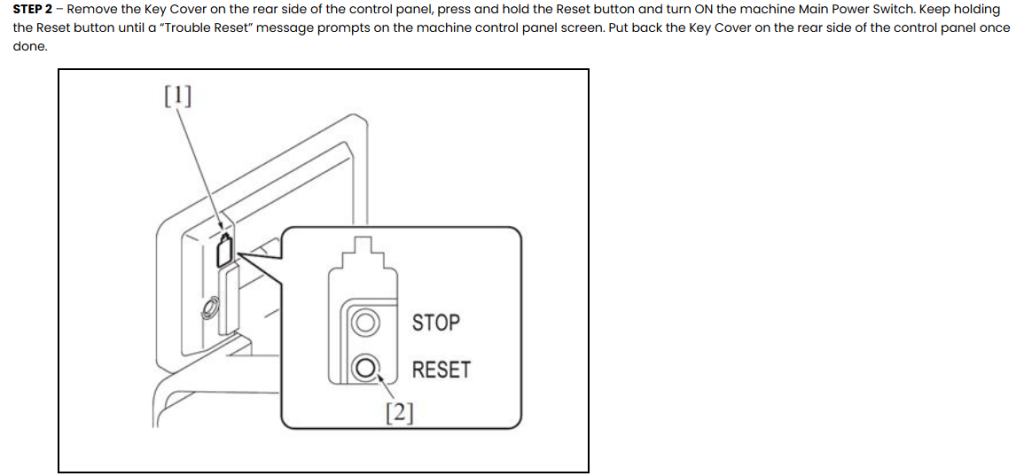
STEP 1 – Open the front cover or on the side of the bypass tray and Turn Off the Main Power Switch.
For The Newer Machine Series / I-Series Machine
STEP 1 – Turn OFF the Main Power Switch on the machine. I/O switch usually located on the right side of the machine beside the bypass tray.
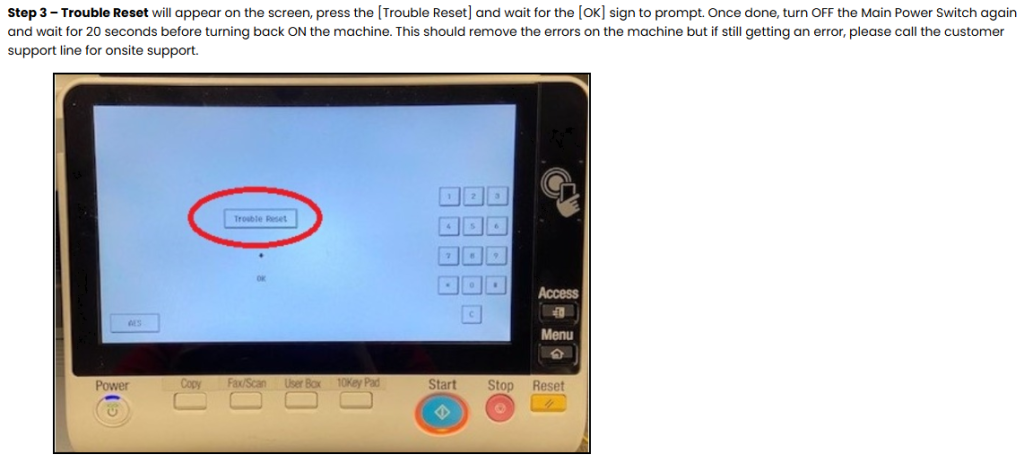
STEP 3 – Press the “Trouble Reset” on the screen and wait for the “OK” sign to display. Turn OFF the Main Power Switch again and wait for 10 seconds before turning back the machine ON.
ADDITIONAL STEPS:
If machine fails to start after performing the Trouble Reset, turn OFF the main power switch and unplug the power cord of the machine.
Plug back in the power cord after 15 seconds or more, turn ON the Main Power Switch and check if the machine starts correctly.