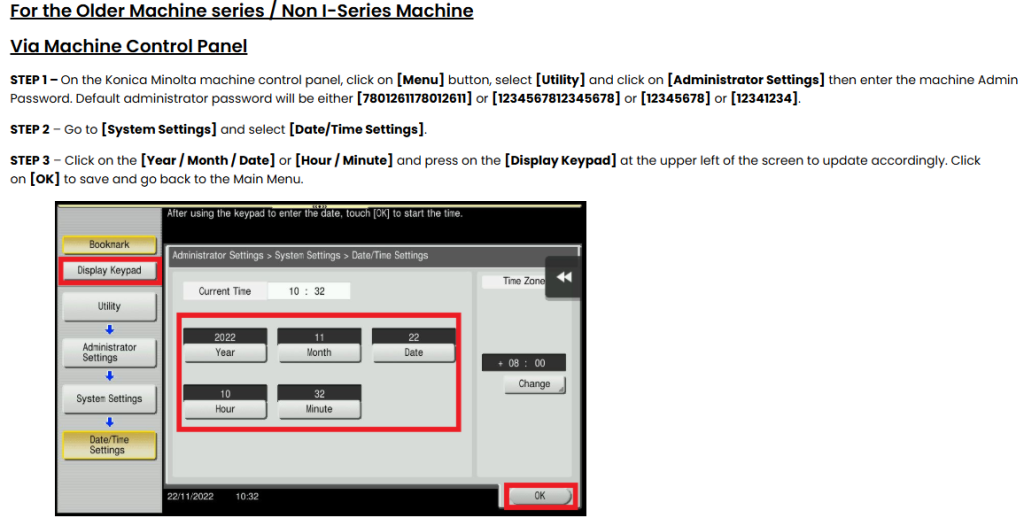
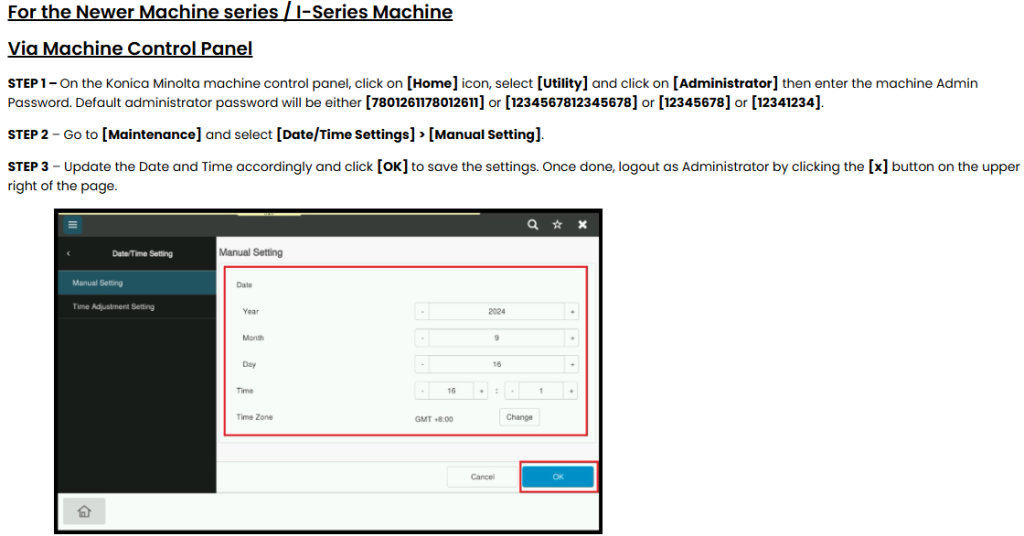
Guide on how to update the machine date and time settings.
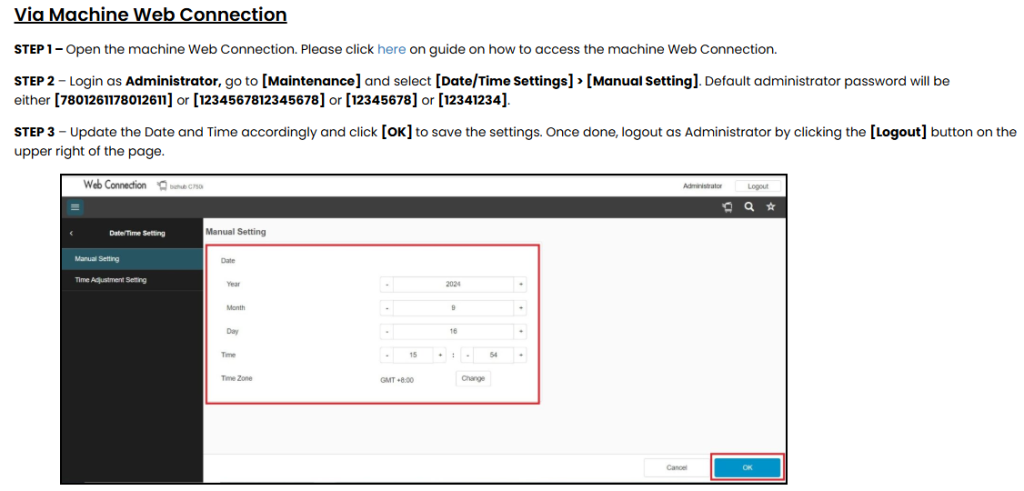
Via Machine Web Connection
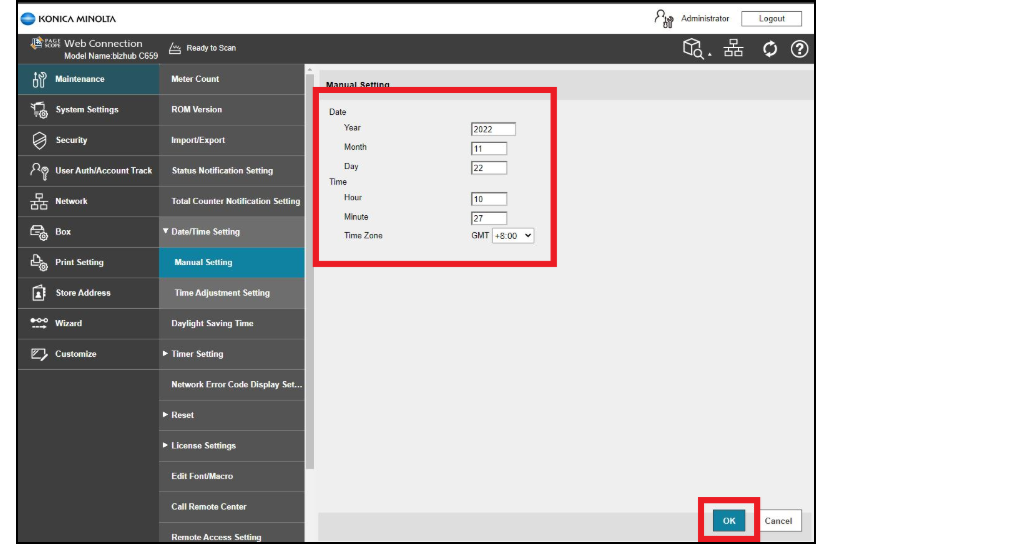
STEP 1 – Open the machine Web Connection. Please click here on guide on how to access the machine Web Connection.
STEP 2 – Login as Administrator and go to [Maintenance] > [Date/Time Setting] and select [Manual Setting]. Default administrator password will be either [7801261178012611] or [1234567812345678] or [12345678] or [12341234].
STEP 3 – Update the Date and Time accordingly and click [OK] to save the settings. Once done, logout as Administrator by clicking the Logout button on the upper right of the page.