
Is Your Office Printer Leaking Client Data? | Copier2U Security
Worried about corporate cyber threats and PDPA compliance? Ask yourself: Is Your Office Printer Leaking Client Data? Learn how to secure your print network today via Copier2U.
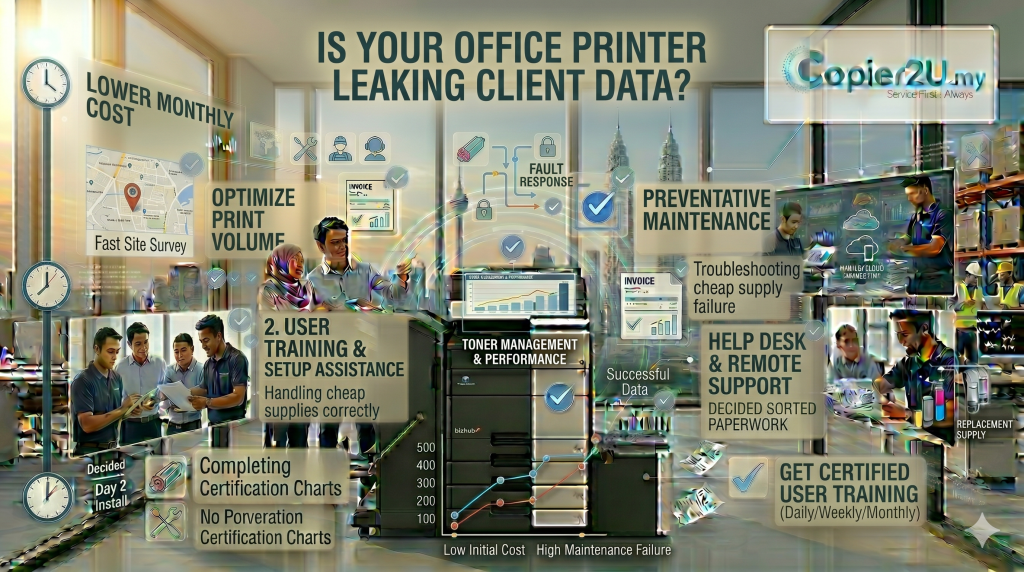
In the modern corporate landscape of Kuala Lumpur, Putrajaya, and Selangor, IT directors spend millions of Ringgit securing cloud servers, installing enterprise-grade firewalls, and enforcing strict password rotations on employee laptops. Yet, one of the most glaring vulnerabilities in a company’s data defense strategy often sits completely unprotected in the middle of the workspace corridor. As cyber threats evolve in 2026, every operations manager, legal partner, and clinic administrator must stop and ask a critical question: Is Your Office Printer Leaking Client Data?
Many business owners mistakenly view their multi-functional printer (MFP) as a simple mechanical tool that just puts ink onto paper. In reality, modern commercial copiers are highly advanced, network-connected computers. They possess their own internal hard drives, operating systems, and network IP addresses. Every time your HR department prints a staff payroll sheet, your legal team scans a confidential litigation brief, or your reception desk copies a client’s identity card (IC), that sensitive information passes through the printer’s digital memory. If you haven’t secured this hardware, the answer to the question—Is Your Office Printer Leaking Client Data?—might be a terrifying “yes.” Failing to secure your document infrastructure can result in severe data breaches, catastrophic losses of corporate reputation, and massive financial penalties under the Malaysian Personal Data Protection Act (PDPA). At Copier2U, we recognize that data defense is non-negotiable. This comprehensive enterprise security guide explores exactly how unauthorized access occurs, what physical and digital vulnerabilities exist in your workspace, and how upgrading to a secure managed lease plan seals these endpoints permanently.
The Digital Threat: How Hard Drive Caching Exposes Your Business
To fully understand why you must ask, Is Your Office Printer Leaking Client Data?, you must understand how modern document rendering works. When a staff member sends a 50-page PDF to the office printer, the machine does not print it instantly. Instead, it downloads the entire document file, caches it onto its internal Hard Disk Drive (HDD) or Solid State Drive (SSD), processes the digital image, and then executes the mechanical print job.
If you are using an unsecured, older retail printer, those cached digital images remain stored on the internal hard drive long after the physical paper has been collected. If a malicious hacker penetrates your local Wi-Fi network, or if you sell your old office printer to a third-party secondhand dealer without professionally wiping the drive, unauthorized individuals can extract thousands of cached confidential documents.
This digital vulnerability perfectly highlights the urgency behind the question: Is Your Office Printer Leaking Client Data?
By utilizing our secure corporate lease packages at Copier2U, your business is instantly shielded from this threat. We supply high-end, data-secure multifunction units curated strictly from the top 3 best photocopier in Malaysia: Ricoh, Canon, and Konica Minolta. Our certified IT engineers configure automated hard drive data sanitization (overwrite) features standard across your fleet. This military-grade security architecture ensures that any temporary images cached on the machine’s internal memory are permanently shredded and overwritten with random data sequences the exact second the print or scan job is completed.
The Physical Threat: Abandoned Documents on the Output Tray
When exploring the question, Is Your Office Printer Leaking Client Data?, we must look beyond sophisticated digital network hacks. The most common form of corporate data leakage is entirely physical and happens in plain sight.
In a busy shared workspace in Petaling Jaya or Putrajaya, it is incredibly common for an employee to click “Print” on a confidential financial audit or a proprietary client contract, get distracted by a phone call, and leave the documents sitting openly on the printer’s output tray for hours. During this time, unauthorized staff, office visitors, courier delivery personnel, or third-party cleaning crews can easily read, photograph, or accidentally walk away with highly sensitive corporate data.
If this scenario sounds familiar, the answer to Is Your Office Printer Leaking Client Data? is yes. Fortunately, Copier2U provides a seamless technological solution: Secure Pull Printing.
 How Secure Pull Printing Protects Your Workspace:
When we deploy a machine from the top 3 best photocopier in Malaysia onto your office floor, we can configure secure user authentication protocols.
The employee clicks “Print” at their desk.
The document is securely encrypted and held in a digital queue. It does not print immediately.
The employee physically walks up to the multi-functional copier.
They authenticate their identity by swiping an RFID security badge or typing a unique, private PIN code into the touchscreen panel.
Only then does the machine release and print the document, ensuring the employee is physically present to collect the sensitive files immediately.
Network Interception: Unencrypted Print Pathways
Another vital element to review when asking, Is Your Office Printer Leaking Client Data? is the transmission pathway between your employee’s laptop and the printer itself.
In modern hybrid offices, staff frequently print from wireless laptops, iPads, or smartphones over the office Wi-Fi network. If these internal local area networks (LAN) lack robust end-to-end encryption, a cybercriminal can intercept the data packets mid-air as they travel to the printer, reconstructing your confidential documents remotely.
Our enterprise-grade Copier2U fleet eliminates this vulnerability. The advanced systems we deploy support SSL/TLS network data encryption. This means that from the moment your staff hits “Print” to the moment the data enters the copier’s processor, the information is wrapped in advanced cryptographic protocols, making it entirely unreadable to unauthorized network interceptors.
Fleet Security Features Matrix: Standard vs. Secure Managed Lease
To assist your Chief Information Security Officer (CISO) or IT procurement manager in conducting an internal hardware audit, this matrix compares standard unmanaged retail printers against our secure enterprise fleet:
| Corporate Security Vulnerability | Unmanaged / Retail Office Printer | Copier2U Secure Enterprise Lease Fleet |
| Is Your Office Printer Leaking Client Data? | High Risk (Unsecured endpoints & open trays) | Zero Risk (Fully encrypted & access controlled) |
| Internal Hard Drive Data Caching | Leaves permanent, readable document caches | Automated Military-Grade Data Overwrite |
| Physical Document Abandonment | Prints immediately; files sit in the open | Secure PIN/Badge Pull-Printing Release |
| Network Data Transmission | Unencrypted, vulnerable to packet sniffing | End-to-End SSL/TLS Encryption Protocols |
| End-of-Lease Hardware Disposal | Sold with intact hard drives containing client data | Certified HDD Physical Destruction/Wiping |
| Firmware & Security Patching | Ignored; machine operates on outdated firmware | Proactively updated during routine maintenance |
FAQ
1. Is Your Office Printer Leaking Client Data? What is the main cause of this vulnerability?
If you are asking Is Your Office Printer Leaking Client Data?, the primary causes are internal hard drives storing unencrypted document caches, employees leaving sensitive physical papers on open output trays, and unencrypted wireless network transmissions across the office.
2. How does the Malaysian PDPA view data breaches stemming from unsecured office hardware?
Under the Personal Data Protection Act (PDPA) 2010, your business is legally obligated to take practical steps to protect personal data from unauthorized access or disclosure. Failing to secure an office printer that caches client ICs or financial records can result in massive corporate fines and legal liabilities.
3. What is Automated Hard Drive Overwrite, and how does it protect our business?
Automated HDD Overwrite is a security feature that shreds and overwrites the temporary digital image files stored on the printer’s internal hard drive with random data sequences the moment a print, copy, or scan job finishes, ensuring the data cannot be recovered by hackers.
4. Does Secure Pull Printing slow down employee productivity?
No. While it requires the user to be physically present at the machine to input a PIN or swipe a card, it actually streamlines workflows. It prevents accidental double-printing, reduces paper waste, and ensures confidential documents are never mixed up with other employees’ print jobs.
5. Which brand from the top 3 best photocopier in Malaysia offers the best data security?
Our expansive lease fleet utilizes hardware selected exclusively from the top 3 best photocopier in Malaysia: Ricoh, Canon, and Konica Minolta. All three of these elite manufacturers engineer their commercial systems with robust, enterprise-grade cybersecurity architectures compliant with global data standards.
6. Can hackers access our office network directly through an unsecured copier?
Yes. Modern copiers have their own IP addresses and operating systems. If an office copier’s firmware is outdated or its administrator passwords are left at factory defaults, hackers can use the printer as a backdoor gateway to penetrate your broader corporate server network.
7. How does a Copier2U rental plan ensure our machine’s software stays protected against new threats?
As part of our inclusive Smart Care Maintenance Plan, our certified technicians routinely update your multi-functional printer’s system firmware and patch security vulnerabilities during our scheduled preventive maintenance visits, keeping your endpoints locked down.
Copier2U's Services
Find the right product based on your requirement.
Refurbished Copiers
Our refurbished copier offer a smart printing solution for businesses seeking reliable performance without compromising on affordability.
Digital Black / White & Colour Copiers
As specialists in refurbishing all kinds of B/W and color copiers from top brands, we offer affordable rental copier plans to meet your business needs.
Spare Part and Consumables Item
Whether you’re in need of replacement parts or consumables to keep your copier running smoothly, we’ve got you covered.
Maintenance Contract
With our maintenance contracts, you can enjoy peace of mind knowing that your copiers are well taken care of.
Copier Rental Service
We offer highly flexible photocopier rental plans tailored to match your specific business timeline and budget. Whether you need a Short-Term Rental, or a Long-Term Rental, we have you covered.
Find us
What Our Clients Say
Trusted by businesses across Kuala Lumpur, Selangor & Putrajaya for reliable photocopier rental and fast support.

4.9 Google Rating • Verified reviews from real customers across Malaysia
Our dedicated technical dispatch team provides rapid 24-hours on-site maintenance to ensure your office print workflow runs smoothly. We proudly serve corporate offices, small businesses, and events across all major commercial hubs within Kuala Lumpur, Selangor, and Putrajaya.
While we specialize in deployment across the capital, we also offer the exact same premium all-in-one printer packages and rapid 24-hours on-site technical support across the surrounding areas. If your office operations are based outside the city center, you can easily explore our tailored solutions for Photocopier rental Mutiara Damansara or set up an efficient corporate print network with our dedicated service for Photocopier rental Damansara.
Request free quote now
Fill in form or call us +6019 263 0988.
Connect with us today and discover how our expertise can empower your projects.