
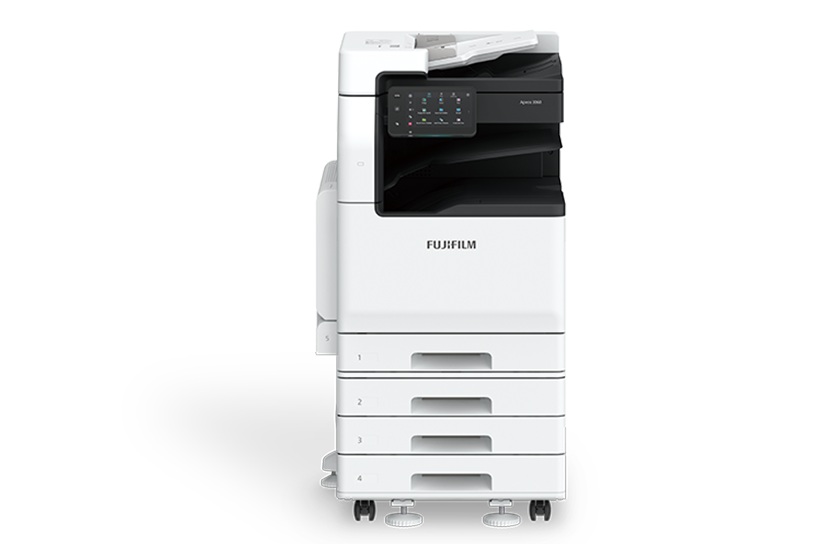
- Copy/Print: 3560 35 ppm*1, 3060 30 ppm*1, 2560 25 ppm*1
- Scan: Colour/Monochrome 2 sided Scanning 80 ppm*2 *3, 1 sided Scanning 55 ppm*3
- Fax*4: Super G3 FAX
- Printing Resolution: 1,200 x 1,200 dpi*5
- Control Panel: 7″ Tilted Colour Touchscreen
- Wireless LAN Supported
- Mobile Supported
- Cloud Interactive
- *1: A4 LEF.
- *2: Single pass DADF model (2 sided scanning).
- *3: A4 LEF 200 dpi to Folder.
- *4: Optional.
- *5: Print Function.
Simple layout with easy navigation
Black and gray tone UI gives better contrast for easy recognition.
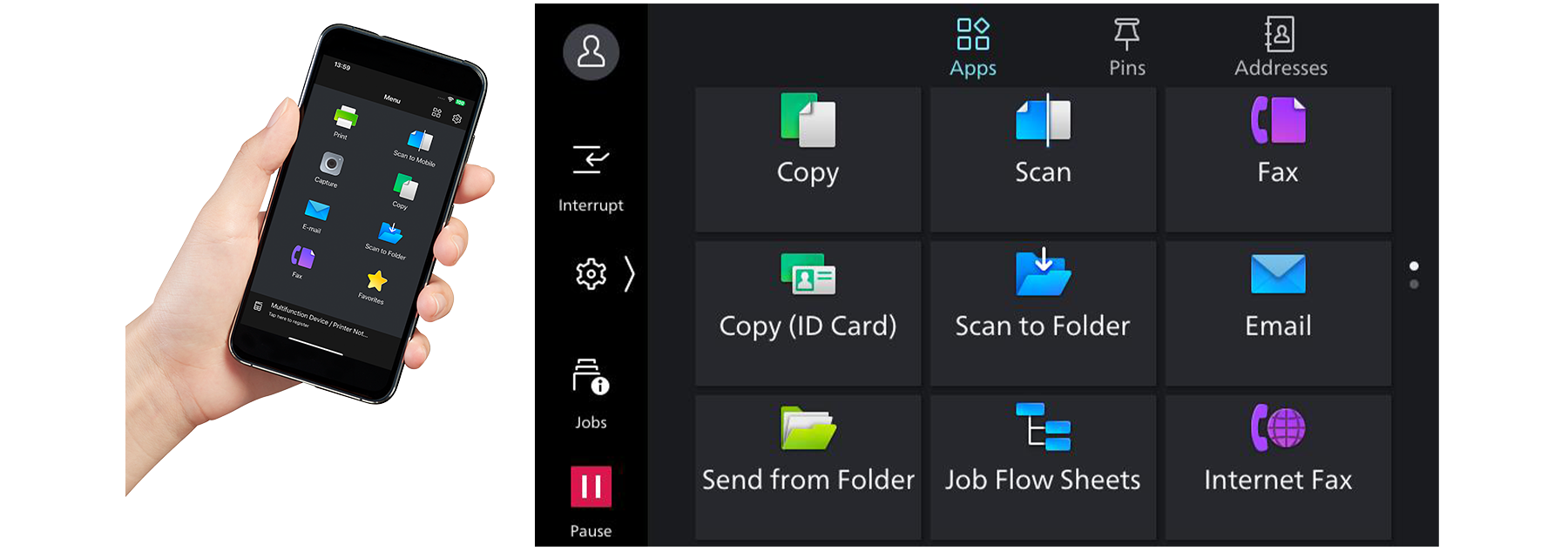
- Icons are evenly spread for easy recognition
- Consistent operation steps of each function for easy recall
- Home screen personalisation for ease of access to commonly used functions
- Pin regular settings for registering frequent or repeated jobs
- Clear visible light notifications for completed or error jobs
- Subtle sound notification for alert and attention
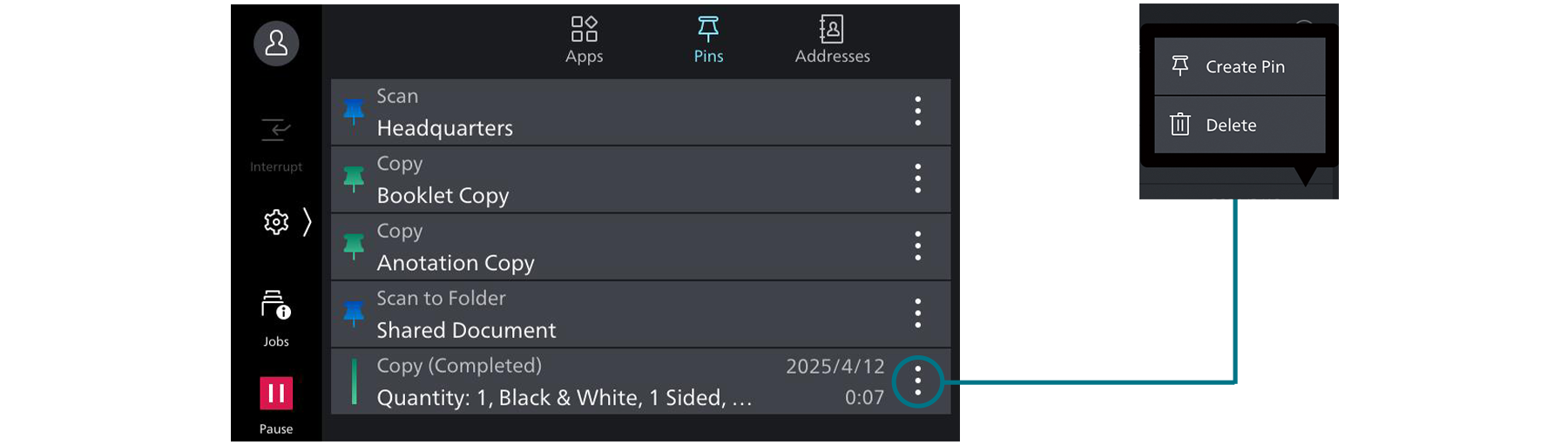
Smartphone becomes a “portable operation panel”
Seamless connectivity with mobile devices for Copy, Fax, Print, Scan*1 jobs using the Print Utility*2 application.
- Mobile device can be used as an alternative UI for operations control to minimise common touch points
- Frequent settings can be saved as “Favourites”
- Directly send fax or email with the addresses stored in the smartphone
- Minimise printer touch points for hygiene reasons
- Quickly establish direct Wi-Fi connection by scanning the QR code on the user panel
- Note: Connect to machine via wireless environment or Wi-Fi Direct connection.
- *1: Scan to Mobile, E-mail, Scan to Folder.
- *2: It can be downloaded free of charge from Google PlayTM or App Store.
Flexibility in office layout
Supports wireless LAN environment*1.
- Supports free addressing in the office with Wi-Fi support
- Up to five Wi-Fi Direct multifunction devices can be connected at the same time
- Supports direct mobile printing*2
- Print Utility, AirPrint, Mopria® Print Service, and Mopria Scan are supported for printing or scanning by using a mobile device
- *1: Optional.
- *2: When connecting to Wi-Fi Direct.
Print out from any multifunction device within the office
With Server-less On-Demand Print*, you have the flexibility to print and collect the print outs from any of the connected multifunction devices.
- Improves productivity by printing from another available multifunction device when the current device is in use
- Up to 100 units can be linked
- Specific job settings can be revised at the device level to save time
(1 sided to 2 sided, adding staple)
- * Optional.
Simple device management with Server-less Authentication
Server-less Authentication* enables user information to be synchronised among multifunction devices in the same group and allows administrators to reduce their workloads.
- Simply tap your card to link the user ID with the multifunction device
- The ID information is automatically shared with the other multifunction devices in the same network
- Authentication can be performed with any devices in the office
- * Optional.
Various features saving time and effort in scanning operation
Scanned data can be transferred through a variety of methods including Email, URL, and send to PC (SMB/FTP/SFTP).
- Data can be sent by using multiple features simultaneously
- Improve your digitalisation process with features including automatic orientation of scanned page to upright position, correcting the skewed page, or removing blank pages
- In addition to TIFF and JPEG, the scanned data can be converted to OCR-enabled* or high compression/ specific colour PDF or DocuWorks documents. Also they can be converted to editable Excel/Word documents*
- With ScanAuto, you can easily send the scanned data to your e-mail address by simply pressing a button * Optional.


